Merge CSV Shards in Numeric Order with Python: Headers and Failure-Safe Output
On this page
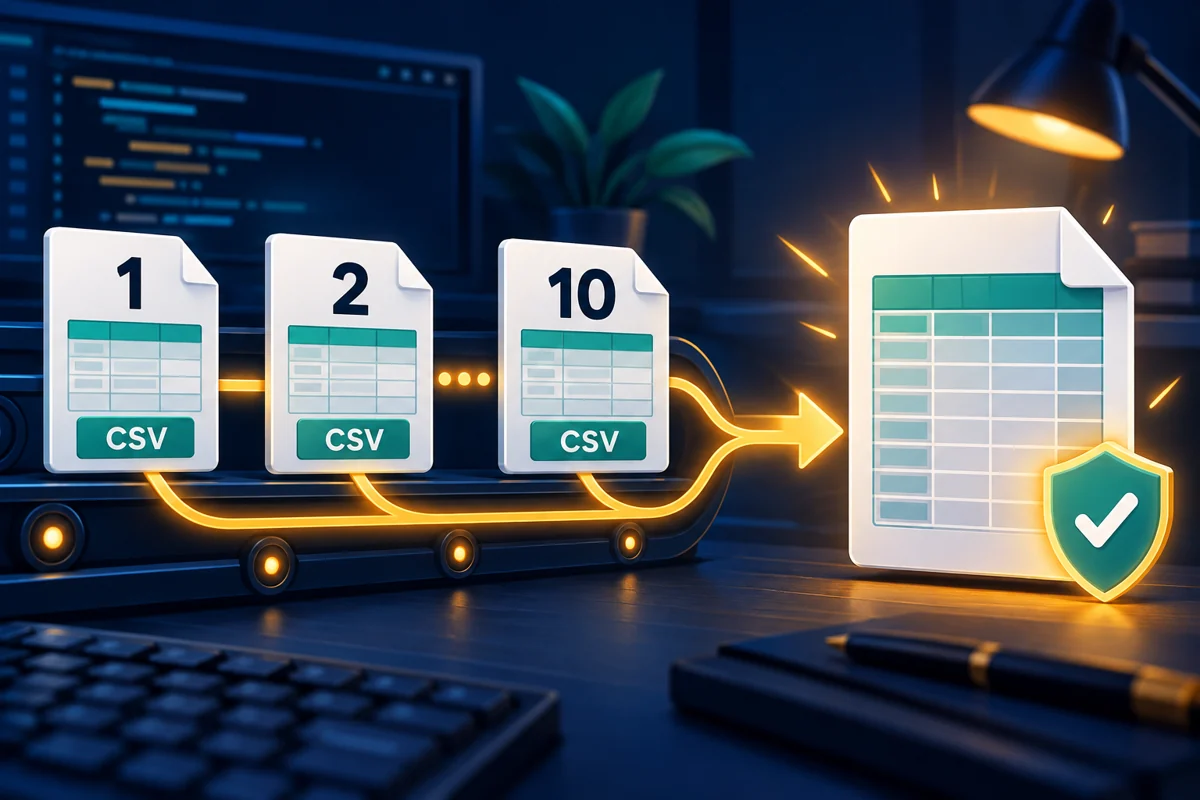
Reassembling CSV shards with cat repeats their headers. Sorting filenames as strings can put part-10.csv before part-2.csv, and skipping physical lines can break fields containing newlines.
This beginner-to-intermediate tutorial builds a Python standard-library tool to merge CSV shards by the numeric part of their filenames. It determines the order, validates and streams records, and replaces the final file only after success. It follows splitting large CSV files by record, but also accepts matching shards from other tools.
1. Method: define ordering and input rules
Directory enumeration is not a business ordering rule. The official pathlib documentation describes iterdir() order as arbitrary. Even explicitly sorting filenames as strings produces:
from pathlib import Path

print(sorted(path.name for path in Path("parts").glob("part-*.csv")))
# ['part-1.csv', 'part-10.csv', 'part-2.csv']
Instead of implementing general-purpose natural sorting, accept one explicit format:
- Inspect top-level entries matching
part-*.csv. Each name must be exactlypart-<positive integer>.csv, using ASCII digits. Rejectpart-old.csv, directories, and symlinks; ignore other nonmatching files. - Convert the number to an integer before sorting. Accept
part-0001.csv, but rejectpart-1.csvtogether withpart-01.csv. Gaps are allowed: this does not establish that all shards have arrived. - Inputs are comma-delimited, double-quoted UTF-8 CSV, optionally with a BOM. Header names cannot be blank or duplicated. Every file must have exactly the same column names in the same order.
- Each data record must match the header width. Blank records fail. Header-only shards are valid; completely empty files fail.
- Keep the output outside the input directory, with an existing parent directory and no destination symlink. Success replaces an existing destination; validation or write failures preserve the previous output.
Shards must be complete and remain unchanged during the merge. Use one output writer. When consuming the split tool above, check its _SUCCESS marker first. This merger does not check that marker or establish unique IDs across records.
2. Setup: create shards with special fields
Use an existing Python 3.9+ interpreter; no pip packages are needed. These examples were verified on Linux with Python 3.11.4. Shell commands work in Bash or zsh.
- Create a fresh practice directory. Choose another directory name when repeating the exercise, and run subsequent commands there:
python3 --version
mkdir csv-merge-demo
cd csv-merge-demo
mkdir parts
python3 - <<'PY_DATA'
import csv
from pathlib import Path

for number, note in [(10, "last"), (1, "first line\nsecond line"),
                     (2, "comma, inside")]:
    path = Path("parts") / f"part-{number}.csv"
    with path.open("w", encoding="utf-8-sig", newline="") as handle:
        writer = csv.writer(handle)
        writer.writerow(["id", "note"])
        writer.writerow([f"{number:03d}", note])
PY_DATA
The fixture deliberately creates shard 10 before 1 and 2. Values include leading zeros, a comma, and an embedded newline.
- Save the next section as
merge_csv.py, or download the complete script.
3. Complete implementation: stream, then replace
"""Merge numbered CSV shards in numeric filename order. Python 3.9+."""
import argparse
import csv
import os
from pathlib import Path
import re
import sys
import tempfile

NAME = re.compile(r"part-([0-9]+)\.csv")


def ordered_parts(directory):
    parts = []
    seen = set()
    for path in directory.glob("part-*.csv"):
        match = NAME.fullmatch(path.name)
        if match is None or path.is_symlink() or not path.is_file():
            raise ValueError(f"invalid shard: {path.name}")
        number = int(match[1])
        if number < 1 or number in seen:
            raise ValueError(f"nonpositive or duplicate shard number: {path.name}")
        seen.add(number)
        parts.append((number, path))
    if not parts:
        raise ValueError("no part-<positive integer>.csv files")
    return sorted(parts, key=lambda item: item[0])


def merge_csv(directory, output):
    directory = Path(directory).expanduser().resolve(strict=True)
    if not directory.is_dir():
        raise ValueError("input must be a directory")
    output = Path(output).expanduser().absolute()
    output = output.parent.resolve(strict=True) / output.name
    if output.parent == directory or output.is_symlink():
        raise ValueError("output must be outside input directory and not a symlink")
    parts = ordered_parts(directory)
    temporary = None
    count = 0
    expected = None
    try:
        with tempfile.NamedTemporaryFile(
            mode="w", encoding="utf-8", newline="", dir=output.parent,
            prefix=f".{output.name}.", suffix=".tmp", delete=False,
        ) as dest:
            temporary = Path(dest.name)
            writer = csv.writer(dest, lineterminator="\n")
            for number, path in parts:
                with path.open(encoding="utf-8-sig", newline="") as source:
                    reader = csv.reader(source, strict=True)
                    try:
                        header = next(reader, None)
                        if not header or any(not field.strip() for field in header):
                            raise ValueError(f"{path.name}: missing or empty header")
                        if len(set(header)) != len(header):
                            raise ValueError(f"{path.name}: duplicate column names")
                        if expected is None:
                            expected = header
                            writer.writerow(header)
                        elif header != expected:
                            raise ValueError(f"{path.name}: header mismatch")
                        for row in reader:
                            if len(row) != len(expected):
                                raise ValueError(
                                    f"{path.name}: physical line {reader.line_num}: "
                                    f"expected {len(expected)} fields, got {len(row)}"
                                )
                            writer.writerow(row)
                            count += 1
                    except csv.Error as exc:
                        raise ValueError(
                            f"{path.name}: physical line {reader.line_num}: {exc}"
                        ) from exc
        os.replace(temporary, output)
    finally:
        if temporary is not None:
            temporary.unlink(missing_ok=True)
    return len(parts), count, [number for number, path in parts]


def main():
    parser = argparse.ArgumentParser(description=__doc__, allow_abbrev=False)
    parser.add_argument("directory", type=Path, help="directory of completed shards")
    parser.add_argument("output", type=Path, help="destination outside that directory")
    args = parser.parse_args()
    try:
        files, records, order = merge_csv(args.directory, args.output)
    except (OSError, ValueError, RuntimeError) as exc:
        print(f"ERROR: {exc}", file=sys.stderr)
        return 1
    print(f"OK: files={files} records={records} order={','.join(map(str, order))}")
    return 0


if __name__ == "__main__":
    raise SystemExit(main())
The CSV documentation specifies newline="" for file objects so the module handles record boundaries. Fields are strings by default, preserving 001. strict=True checks parsing errors; our code additionally checks headers and widths. reader.line_num reports a physical line position, not a record number.
NamedTemporaryFile creates a temporary file beside the destination. After closing it, os.replace() atomically replaces the destination on success; the same directory avoids a cross-filesystem move. The finally block removes temporary files after ordinary exceptions. The same pattern appears in atomic JSON writes.
There is no fsync, power-loss durability guarantee, or concurrent transaction. Forced termination can leave a hidden temporary file. Confirm no merge is running before removing its particular leftover file. On Linux, the temporary file normally has mode 0600; replacement does not inherit the old destination’s permissions or ACLs. Define a separate permission policy if other users need access.
Memory holds the shard path list and current record, not all records. Very long fields still encounter the CSV parser’s field-size limit. Output is UTF-8 without a BOM, with LF record separators. Parsed field values are preserved, but quoting and original bytes may change.
4. Run: verify numeric order and record values
- Check help, then merge:
python3 merge_csv.py --help
python3 merge_csv.py parts merged.csv
Expected output:
OK: files=3 records=3 order=1,2,10
- Do not count records with
wc -l. Parse and assert the output instead:
python3 - <<'PY_CHECK'
import csv

with open("merged.csv", encoding="utf-8", newline="") as handle:
    rows = list(csv.reader(handle))
assert rows == [
    ["id", "note"],
    ["001", "first line\nsecond line"],
    ["002", "comma, inside"],
    ["010", "last"],
]
print("PASS: numeric order, one header, and multiline values")
PY_CHECK
Expect PASS: numeric order, one header, and multiline values. This checks a single header, record order 1, 2, 10, and intact embedded commas and newlines.
5. Verify failure: preserve the previous complete output
- Complete the previous section first. Temporarily change the last shard’s header and check the exit status and output bytes. The test restores the original shard afterward:
python3 - <<'PY_FAIL'
from pathlib import Path
import subprocess
import sys

output = Path("merged.csv")
before = output.read_bytes()
bad = Path("parts/part-10.csv")
original = bad.read_bytes()
try:
    bad.write_text("note,id\nwrong,010\n", encoding="utf-8")
    result = subprocess.run(
        [sys.executable, "merge_csv.py", "parts", "merged.csv"],
        capture_output=True, text=True,
    )
    assert result.returncode == 1, result
    assert result.stdout == "", result.stdout
    assert "header mismatch" in result.stderr, result.stderr
    assert output.read_bytes() == before
    assert not list(Path(".").glob(".merged.csv.*.tmp"))
    print("PASS: header mismatch returns 1; previous output unchanged")
finally:
    bad.write_bytes(original)
PY_FAIL
Expect PASS: header mismatch returns 1; previous output unchanged. This exercises a bad file encountered after earlier valid records, not merely a filename precheck.
- Test two spellings of the same number. Run this only in the fresh demo directory:
cp parts/part-1.csv parts/part-01.csv
python3 merge_csv.py parts merged.csv
printf 'exit=%s\n' "$?"
rm parts/part-01.csv
Expect an error containing duplicate shard number and exit=1. The error may name 1 or 01 depending on enumeration order; both cases reject the merge. The final command removes only the copy created by this test.
Success returns 0. Input, validation, and file-operation failures return 1 with errors on stderr. Invalid command-line usage returns 2 through argparse. In automation, chain the merger and your real consumer with &&, not ;, so a failed merge does not start the next task.
6. Troubleshooting: fix the specific cause
| Error or symptom | Action |
|---|---|
invalid shard |
Check matching names. Move stale shards outside the input directory; do not use symlinks. |
nonpositive or duplicate shard number |
Use positive integers and one file per number. Padding does not create a new number. |
header mismatch |
Fix upstream column names and order. Run a CSV schema check first if needed; do not silently drop columns. |
expected ... fields / CSV parsing error |
Locate the named file and physical line. A multiline field may span several lines. |
| UTF-8 decoding failure | Identify and strictly convert the source encoding; do not hide corruption with errors="ignore". |
| Output path or replacement failure | Use an existing parent and a regular destination outside the input directory. Check directory write access and free space. |
For an unexpected record total, check the upstream manifest or completion marker. The tool allows numbering gaps and cannot infer completeness from filenames. A successful merge does not prove all data has arrived.
7. Summary
Define numeric ordering, duplicate-number handling, and header rules before merging shards. Stream records through the CSV parser, then replace the destination only after the temporary output is complete. Record-level assertions and failure tests are more useful than checking file sizes or physical line counts alone.
- Author: yanzhi
- Original article: https://www.bobobk.com/en/python-merge-csv-numeric-order.html
- License: This work is licensed under CC BY-NC-ND 4.0. See the license for attribution, noncommercial use and no-derivatives terms.
Related articles
- Fix Python CSV Field Limits: Set a Character Cap and Test Boundaries
- Compare CSV Snapshots by ID with Python: Added, Removed, and Changed Records
- Split Large CSV Files with Python: Headers, Multiline Fields, and Completion Checks
- Read CSV Files Inside tar.gz with Python: Summaries Without Extraction
- Validate CSV Structure with Python: Exact Headers, Column Order, and Field Counts