Recursively download files python
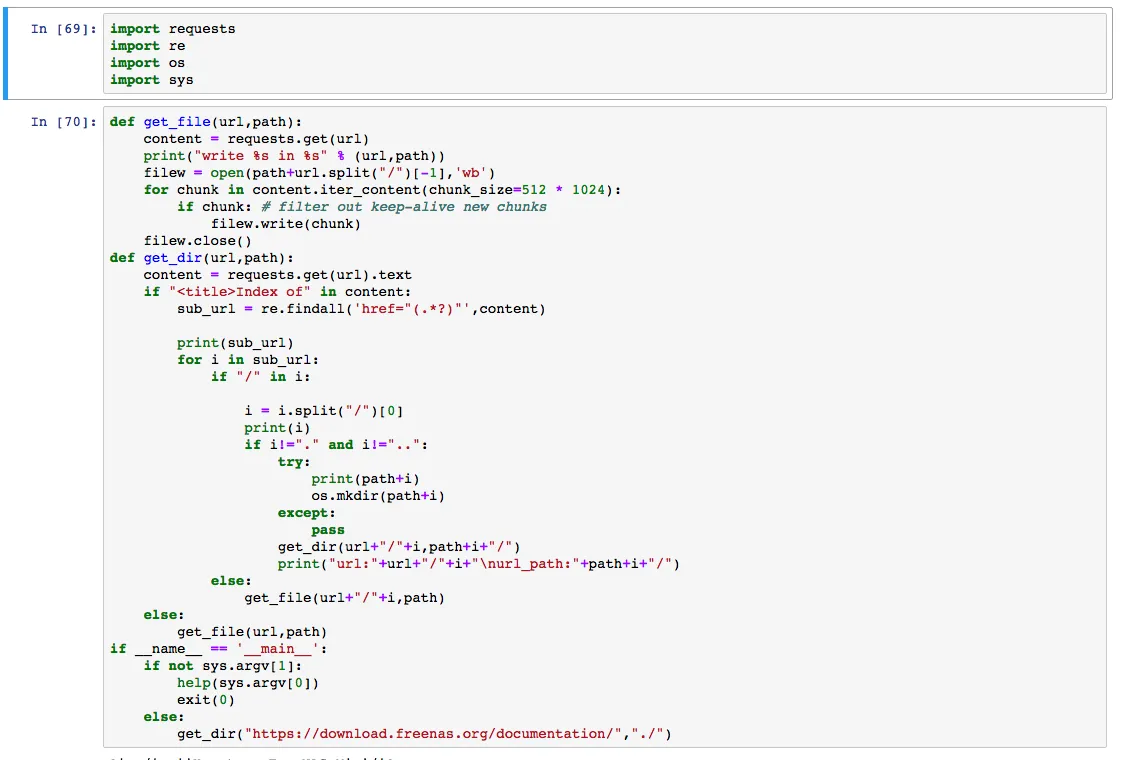
Recently, I wanted to back up a website, but direct PHP downloads had file size limits, and I did not want to spend extra time setting up FTP just for that. If the target directory can already be accessed through an index page, a simpler option is to let Python walk that directory structure and download everything recursively.
That is the basic idea of this article: detect whether a link is a directory, create the local folder automatically, recurse into subdirectories, and download files when they are encountered.
1. Install the requests library
pip install requests
2. Download all files and folders under a directory
The main part to handle here is the folders. We check if the link is a folder; if so, automatically create the folder and recursively continue. Otherwise, if it is a file, directly use requests.get to download it. Without further ado, here is the code:
import requests
import re
import os
import sys

def help(script):
    text = 'python3 %s https://www.bobobk.com ./' % script
    print(text)

def get_file(url, path):  ## File download function
    content = requests.get(url, stream=True)
    print("write %s in %s" % (url, path))
    filew = open(path + url.split("/")[-1], 'wb')
    for chunk in content.iter_content(chunk_size=512 * 1024):
        if chunk:  # filter out keep-alive new chunks
            filew.write(chunk)
    filew.close()

def get_dir(url, path):  # Folder handling logic
    content = requests.get(url).text
    if "<title>Index of" in content:
        sub_url = re.findall('href="(.*?)"', content)
        print(sub_url)
        for i in sub_url:
            if "/" in i:
                i = i.split("/")[0]
                print(i)
                if i != "." and i != "..":
                    if not os.path.exists(path + i):
                        os.mkdir(path + i)
                    get_dir(url + "/" + i, path + i + "/")
                    print("url:" + url + "/" + i + "\nurl_path:" + path + i + "/")
            else:
                get_file(url + "/" + i, path)
    else:
        get_file(url, path)

if __name__ == '__main__':
    if len(sys.argv) <= 1:
        help(sys.argv[0])
        exit(0)
    else:
        get_dir(sys.argv[1], "./")
Notes Before You Use It
- This approach works best when the target server exposes a directory index page.
- If the site disables directory listing, requires login, or depends on dynamic API calls, this simple script will not be enough.
- For backups, test it in a temporary directory first so you do not accidentally pull down more data than you intended.
At this point, the original directory structure and files can be largely reproduced locally. For simple static file trees, this method is direct and practical.
- 原文作者:春江暮客
- 原文链接:https://www.bobobk.com/en/85.html
- 版权声明:本作品采用 知识共享署名-非商业性使用-禁止演绎 4.0 国际许可协议 进行许可,非商业转载请注明出处(作者,原文链接),商业转载请联系作者获得授权。