春江暮客

春江暮客的个人学习分享网站

包含标签 seaborn 的文章

Detailed Examples of Seaborn Plotting Kernel Density Curves

Detailed Examples of Seaborn Plotting Kernel Density Curves

2019年1月20日 | Technology

In a frequency distribution histogram, when the sample size is sufficiently enlarged to its limit, and the bin width is infinitely shortened, the step-like broken line in the frequency histogram will evolve into a smooth curve. This curve is called the density distribution curve of the population.

This article walks through how to use Seaborn with the Iris dataset in Pandas to plot several common kinds of kernel density curves.


1. Basic Density Curve

    import seaborn as sns
    import pandas as pd
    sns.set(color_codes=True)
    sns.set_style("white")
    df = pd.read_csv('iris.csv')
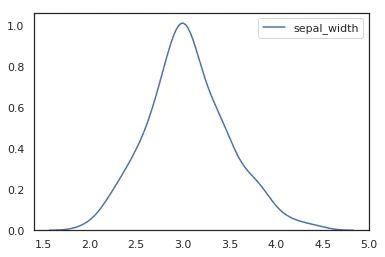
    sns.kdeplot(df['sepal_width'])

‘Detailed Examples of Seaborn Plotting Kernel Density Curves’

To plot a kernel density curve using Seaborn, you only need to use kdeplot. Note that a density curve only requires one variable; here we choose the sepal_width column.


2. Density Curve with Shading

    import seaborn as sns
    import pandas as pd
    sns.set(color_codes=True)
    sns.set_style("white")
    df = pd.read_csv('iris.csv')
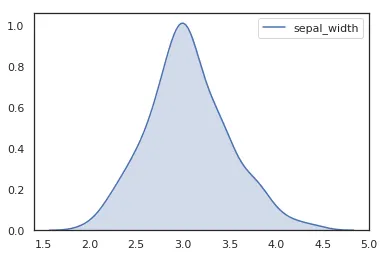
    sns.kdeplot(df['sepal_width'], fill=True)

‘Detailed Examples of Seaborn Plotting Kernel Density Curves’

……

阅读全文

TypeError: ufunc 'isnan' not supported for the input types - Solution

TypeError: ufunc 'isnan' not supported for the input types - Solution

2019年1月14日 | Technology

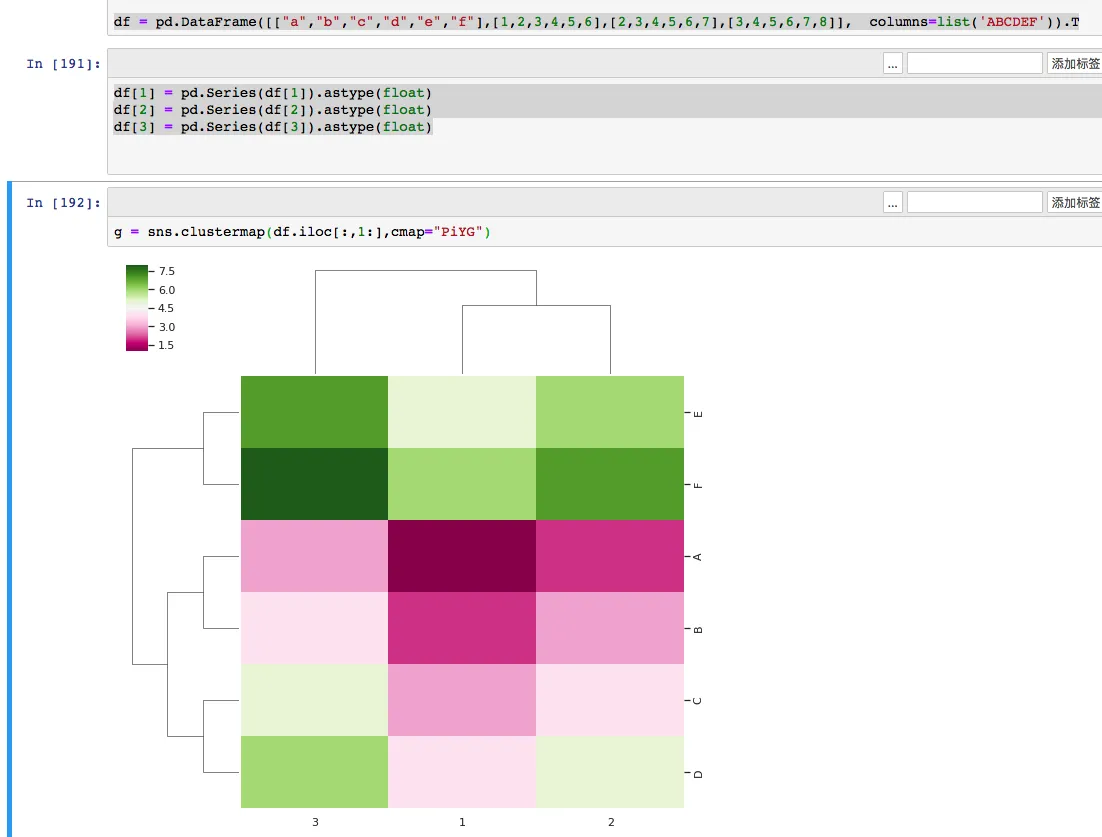
Today, while using Python’s Seaborn to plot a heatmap (clustermap), I kept encountering this error. My data seemed perfectly fine, and a Google search didn’t yield any good solutions. After some exploration, I’m sharing the final solution here.

Although the error appears inside Seaborn, the more common root cause is that the DataFrame being passed into plotting has become object dtype instead of a numeric dtype.


1. Generating the DataFrame

    import pandas as pd
    import numpy as np
    import matplotlib.pyplot as plt
    from seaborn import clustermap
    import seaborn as sns; sns.set(color_codes=True)
    df = pd.DataFrame([["a","b","c","d","e","f"],[1,2,3,4,5,6],[2,3,4,5,6,7],[3,4,5,6,7,8]],  columns=list('ABCDEF')).T
    df
    g = sns.clustermap(df.iloc[:,1:],cmap="PiYG")

After generating and transposing the DataFrame, a TypeError occurs: TypeError: ufunc 'isnan' not supported for the input types, and the inputs could not be safely coerced to any supported types according to the casting rule "safe".
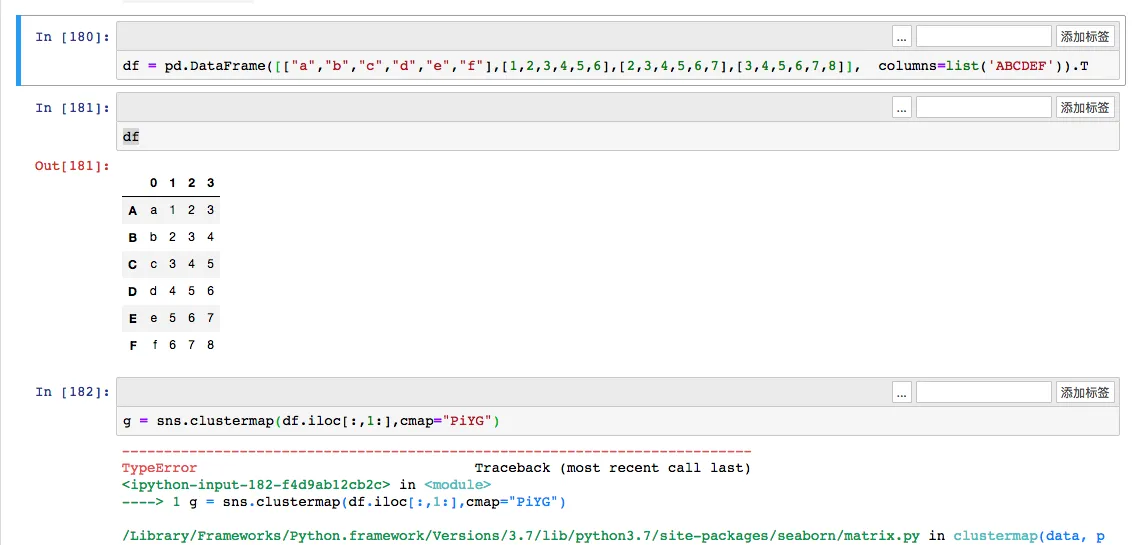
《TypeError: ufunc ‘isnan’ not supported for the input types solution》

……

阅读全文

Drawing Violin Plots with Seaborn

Drawing Violin Plots with Seaborn

2019年1月4日 | Technology

Introduction

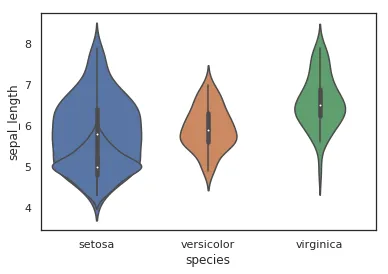
A violin plot is used to display the distribution and probability density of multiple data groups. Similar to a box plot, it offers a better representation of data density. Violin plots are particularly useful when dealing with very large datasets that are difficult to display individually. Python’s Seaborn package makes it very convenient to create violin plots.

If you only need the median and quartiles, a box plot is often enough. If you also want to see whether the data looks skewed, wide, narrow, or even bimodal, a violin plot is usually more informative.

Parameters

Drawing Violin Plots with Seaborn

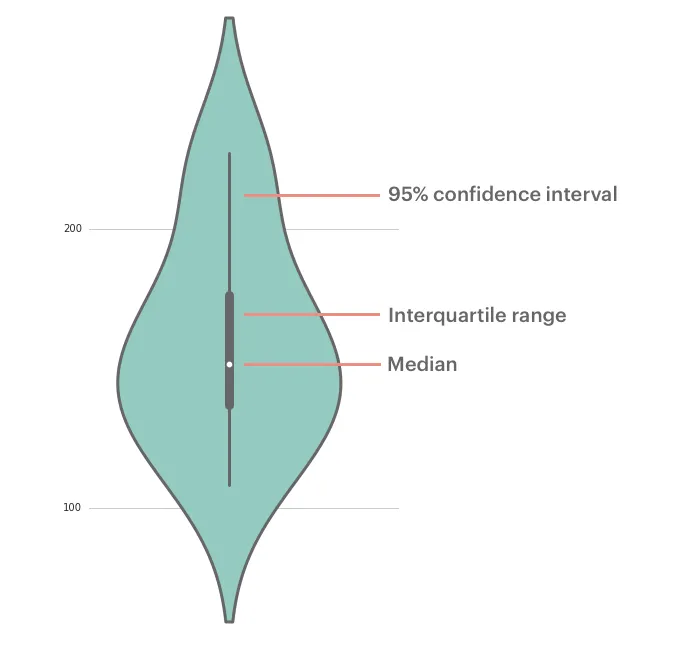
The parameters corresponding to each position in a violin plot are shown above. The middle line represents the box plot data, specifically the 25th, 50th (median), and 75th percentiles. The thin lines indicate the 95% confidence interval.

Drawing Violin Plots with Seaborn

Single Variable Data

While a box plot would suffice for a single variable, a violin plot can certainly be used as well:

……

阅读全文

友情链接

其它