Use just to Manage Project Commands: Turn Repeated Scripts into a Runnable Menu
On this page
After a project has been maintained for a while, a small problem often appears: important commands live in memory, README fragments, shell history, CI files, and chat messages.
just is useful for this. It is not a build system. It is a project command runner: you write common commands in a justfile, then run stable entry points such as just test, just run, and just deploy. This tutorial uses a minimal Python project to show a workflow you can copy directly.
By the end, you will have:
- A basic working
justfile - A run command with arguments
- A set of check, test, and cleanup commands
- Direct fixes for common errors
When this is useful
just is especially useful for these projects:
- The README contains many repeated commands
- Local development, testing, formatting, and build commands are stable
- Teammates often ask how to run the project
- You do not want a complex build system for simple commands
- You want CI and local development to reuse the same command entry points
If a project has only one script, running that script directly is enough. If the project already has npm scripts, a Makefile, or CI configuration, just can still be a clearer local entry point.
Method 1: Install and verify just
On macOS, use Homebrew:
brew install just
If the machine already has the Rust toolchain, use Cargo:
cargo install just
If you do not want to depend on a system package manager on a server, install a prebuilt binary into ~/bin:
mkdir -p ~/bin
curl --proto '=https' --tlsv1.2 -sSf https://just.systems/install.sh | bash -s -- --to ~/bin
export PATH="$PATH:$HOME/bin"
Verify the installation:
just --version
just --help
If you see the version and help output, you can start writing a justfile.
Method 2: Create a reusable justfile
First create a minimal Python project:
mkdir just-demo
cd just-demo
Write the main program:
cat > greet.py <<'EOF'
from __future__ import annotations

import sys


def greet(name: str) -> str:
    return f"hello, {name}"


if __name__ == "__main__":
    name = sys.argv[1] if len(sys.argv) > 1 else "world"
    print(greet(name))
EOF
Write a standard-library test:
cat > test_greet.py <<'EOF'
import unittest

from greet import greet


class GreetTest(unittest.TestCase):
    def test_greet(self) -> None:
        self.assertEqual(greet("bobobk"), "hello, bobobk")


if __name__ == "__main__":
    unittest.main()
EOF
Now create the justfile:
cat > justfile <<'EOF'
python := "python3"

default:
    @just --list

run name="world":
    {{python}} greet.py "{{name}}"

test:
    {{python}} -m unittest -v

syntax:
    {{python}} -m compileall -q .

check: syntax test

clean:
    rm -rf __pycache__ .pytest_cache .ruff_cache
EOF
This file does a few things:
default: lists all commands when you runjustrun name="world": defines an argument with a default valuetest: runs standard-library testssyntax: performs a Python syntax checkcheck: syntax test: chains multiple steps togetherclean: removes local cache directories
Method 3: Run commands and override arguments
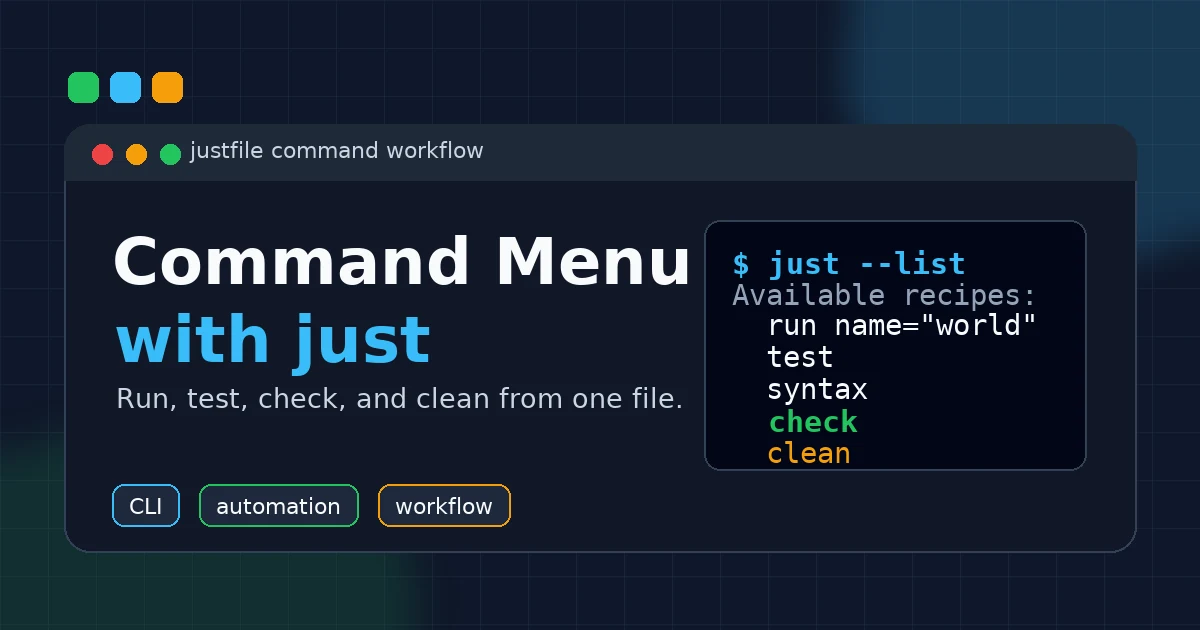
List available commands first:
just
You should see output similar to this:
Available recipes:
    check
    clean
    default
    run name="world"
    syntax
    test
Run with the default argument:
just run
Output:
hello, world
Pass an argument:
just run bobobk
Output:
hello, bobobk
Run the full check:
just check
The output runs the syntax check first, then the tests. If one step fails, the later commands will not hide the failure as a success.
If you want to temporarily use another Python command, override the variable:
just python=python3.12 test
This is better for temporary debugging than asking everyone to edit the justfile.
Method 4: Use just in a real project
A real project can start with this kind of justfile:
python := "python3"
src := "app"

default:
    @just --list

install:
    uv sync

dev:
    uv run fastapi dev {{src}}/main.py

fmt:
    uvx ruff format .

lint:
    uvx ruff check .

test:
    uv run pytest -q

check: fmt lint test

build:
    docker build -t my-app:local .
The value of this file is not shorter commands. The value is a stable entry point. After cloning the project, a new teammate does not need to guess which README paragraph is current. They can run:
just
Then choose from the list:
just install
just dev
just check
CI can reuse the same entry point:
- name: Check project
  run: just check
This keeps local and CI commands from drifting apart.
Validation
Use these commands to confirm that the example project works:
just --list
just run Alice
just test
just check
Expected result:
hello, Alice
The test output should include something like:
test_greet (test_greet.GreetTest.test_greet) ... ok
If these commands run, just, the justfile, argument passing, and recipe dependencies are working.
Troubleshooting
1. Error: No justfile found
The current directory and its parent directories do not contain a justfile.
Check your location:
pwd
ls -la
If the file is not in the current project, move to the project root:
cd /path/to/project
just --list
2. Error: Unknown recipe
The recipe name is misspelled, or that recipe is not defined.
List all commands first:
just --list
Then copy the recipe name from the list instead of typing it from memory.
3. A variable disappears on the next line
In a normal recipe, each line is passed to the shell separately. Do not write this:
bad:
    TOKEN=demo
    echo "$TOKEN"
A safer option is to keep it on one line:
good:
    TOKEN=demo && echo "$TOKEN"
If the logic is longer, use a shebang recipe:
script:
    #!/usr/bin/env bash
    set -euo pipefail
    TOKEN=demo
    echo "$TOKEN"
4. An argument contains spaces
Quote argument substitutions. For example:
run name:
    python3 greet.py "{{name}}"
Then run:
just run "Bob Lee"
Otherwise, the shell may split one argument into multiple arguments.
Summary
The most practical value of just is turning common project commands into a discoverable menu. It will not replace every build tool, but it is a good fit for unifying local development, testing, formatting, and cleanup entry points.
Start with five recipes: default, install, dev, test, and check. Once those commands are stable, gradually add deployment, builds, data imports, and log triage tasks.
- Author: yanzhi
- Original article: https://www.bobobk.com/en/just-command-runner-workflow.html
- License: This work is licensed under CC BY-NC-ND 4.0. See the license for attribution, noncommercial use and no-derivatives terms.
Related articles
- rg Tutorial: Why Many Developers Use ripgrep Instead of grep
- Write Self-Contained Python Scripts with uv and PEP 723
- 2026 Practical Python Workflow: Replace pip, venv, and pipx with uv
- Python Log Triage: Use rg and uv to Find Nginx 5xx Errors Fast
- Python Data Visualization - The Post-2000 Gaokao Generation