Write Self-Contained Python Scripts with uv and PEP 723
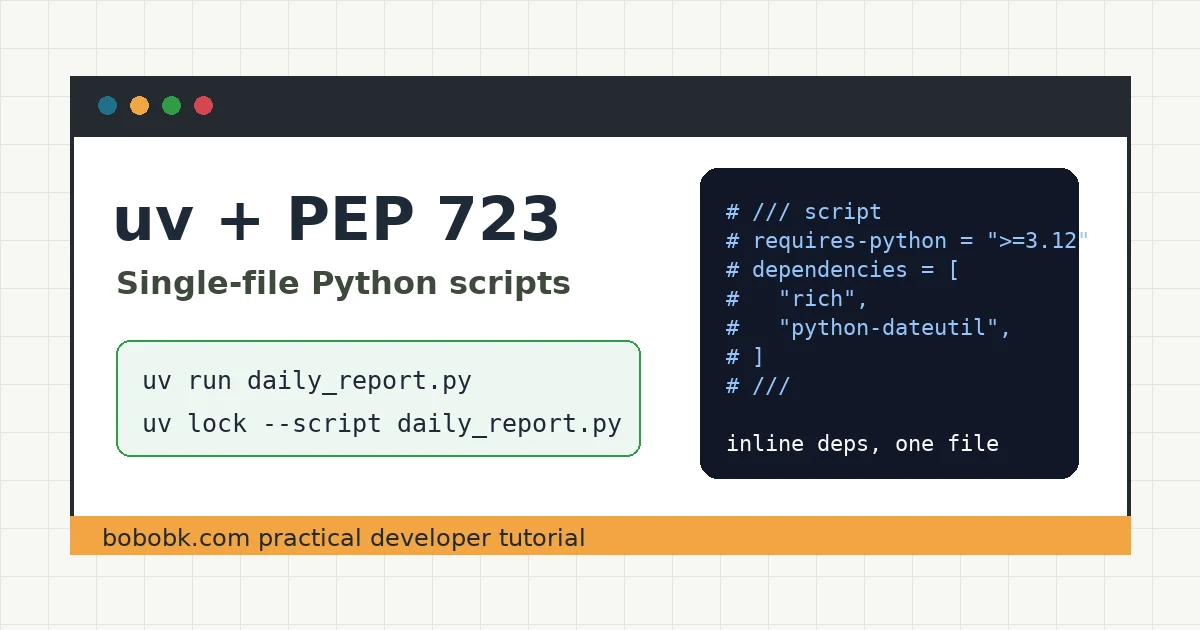
Many automation scripts start as a small tools.py file, then slowly gain dependencies such as requests, rich, or pandas. The problem appears when you share the script: the other machine does not know which packages to install, and a server run may require a virtual environment first.
uv supports PEP 723 inline script metadata, which lets you write the Python version and dependencies at the top of a .py file. This tutorial uses a runnable daily_report.py example to make a script that can be copied and run directly.
By the end, you will have:
- A Python single-file script with inline dependencies
- One
uv run daily_report.pycommand - An optional script lockfile
- Direct fixes for common errors
When this is useful
This workflow is a good fit for small, independent scripts:
- Log analysis, CSV cleanup, and data reports
- Server checks, cron jobs, and one-off migrations
- Small tools shared with teammates
- Automation scripts that do not need a full project directory
If your script has grown into a multi-module application, or if you need to publish it to PyPI, keep using pyproject.toml and a normal uv project. Single-file scripts are useful because they are lightweight and easy to share, not because they replace every project layout.
Method 1: Run with a temporary dependency
Start with the simplest option: do not edit the script, but tell uv which packages are needed at runtime.
Create hello_rich.py:
from rich.console import Console

console = Console()
console.print("[green]hello from uv[/green]")
Running it directly may fail because rich is not installed in the system environment:
python3 hello_rich.py
A common error looks like this:
ModuleNotFoundError: No module named 'rich'
Use uv run --with to create an isolated temporary environment and run the script:
uv run --with rich hello_rich.py
This is useful for quick tests. If the script should be saved or shared, it is better to write the dependencies inside the script itself.
Method 2: Put dependencies inside the script
Now build a more complete example: read tasks.csv, count tasks by status, and print a table.
1. Prepare uv
If uv is not installed yet, run:
curl -LsSf https://astral.sh/uv/install.sh | sh
Reopen your terminal and check:
uv --version
uv help
2. Create the script file
Initialize a file with script metadata:
uv init --script daily_report.py --python 3.12
Add the dependencies required by this script:
uv add --script daily_report.py rich python-dateutil
After the command runs, uv writes a metadata block like this at the top of daily_report.py:
# /// script
# requires-python = ">=3.12"
# dependencies = [
#   "python-dateutil",
#   "rich",
# ]
# ///
This block is the core of PEP 723: the dependencies travel with the script, so you no longer need to send a separate requirements.txt.
Implementation: Write daily_report.py
Replace daily_report.py with the complete file below:
# /// script
# requires-python = ">=3.12"
# dependencies = [
#   "python-dateutil",
#   "rich",
# ]
# ///

from __future__ import annotations

import argparse
import csv
from collections import Counter
from pathlib import Path

from dateutil.parser import parse
from rich.console import Console
from rich.table import Table


console = Console()


def load_tasks(path: Path) -> list[dict[str, str]]:
    with path.open(newline="", encoding="utf-8") as file:
        return list(csv.DictReader(file))


def build_table(tasks: list[dict[str, str]]) -> Table:
    status_counts = Counter(task["status"] for task in tasks)
    due_dates = [parse(task["due"]) for task in tasks if task.get("due")]
    next_due = min(due_dates).date().isoformat() if due_dates else "n/a"

    table = Table(title="Daily Task Report")
    table.add_column("Metric")
    table.add_column("Value", justify="right")
    table.add_row("Total tasks", str(len(tasks)))
    table.add_row("Open", str(status_counts["open"]))
    table.add_row("Doing", str(status_counts["doing"]))
    table.add_row("Done", str(status_counts["done"]))
    table.add_row("Next due date", next_due)
    return table


def main() -> None:
    parser = argparse.ArgumentParser(description="Build a small task report.")
    parser.add_argument("csv_file", type=Path, help="CSV file with title,status,due columns")
    args = parser.parse_args()

    tasks = load_tasks(args.csv_file)
    console.print(build_table(tasks))


if __name__ == "__main__":
    main()
Prepare sample data:
cat > tasks.csv <<'EOF'
title,status,due
Write blog,done,2026-06-02
Check server,open,2026-06-03
Clean logs,doing,2026-06-04
Update docs,open,2026-06-05
EOF
Run the script:
uv run daily_report.py tasks.csv
On the first run, uv reads the dependencies from the script header, creates an isolated environment, and executes the script. Later runs can reuse the cache and will usually be much faster.
Validate the output
The output should look similar to this:
     Daily Task Report
┏━━━━━━━━━━━━━━━┳━━━━━━━━━━━━┓
┃ Metric        ┃      Value ┃
┡━━━━━━━━━━━━━━━╇━━━━━━━━━━━━┩
│ Total tasks   │          4 │
│ Open          │          2 │
│ Doing         │          1 │
│ Done          │          1 │
│ Next due date │ 2026-06-02 │
└───────────────┴────────────┘
You can also inspect the dependency tree for this script:
uv tree --script daily_report.py
If the script will be used in production or a scheduled job, generate a lockfile:
uv lock --script daily_report.py
This creates a file next to the script:
daily_report.py.lock
Commit the lockfile with the script when you want future runs to use reproducible dependency versions.
Make it executable
If you want to run ./daily_report.py directly, add this shebang as the first line:
#!/usr/bin/env -S uv run --script
The start of the full file should look like this:
#!/usr/bin/env -S uv run --script
#
# /// script
# requires-python = ">=3.12"
# dependencies = [
#   "python-dateutil",
#   "rich",
# ]
# ///
Then make it executable:
chmod +x daily_report.py
./daily_report.py tasks.csv
This is convenient for scripts in ~/bin, project scripts/ directories, CI jobs, and server health checks.
Troubleshooting
ModuleNotFoundError
The usual cause is running python daily_report.py directly and bypassing uv.
Fix it with:
uv run daily_report.py tasks.csv
If the script is missing another dependency, add it to the metadata:
uv add --script daily_report.py package-name
Python version mismatch
If the script contains:
# requires-python = ">=3.12"
but the machine does not have a compatible version, install it first:
uv python install 3.12
uv run daily_report.py tasks.csv
Dependencies look wrong inside a project directory
A script with inline metadata uses its own dependencies instead of the current project’s dependencies. That makes the script more independent. If it truly needs project code, it should probably become a normal project command instead of a single-file script.
Permission denied
If ./daily_report.py fails with a permission error:
chmod +x daily_report.py
If your system does not support env -S, use the explicit command:
uv run --script daily_report.py tasks.csv
Summary
uv plus PEP 723 is a practical way to manage small Python automation scripts: dependencies live in the file, and uv creates the isolated environment at runtime. For scripts that need to be shared, scheduled, or copied onto a server, this is lighter than manually maintaining virtual environments and requirements.txt. In real use, add dependencies with uv add --script, then lock production scripts with uv lock --script.
- 原文作者:春江暮客
- 原文链接:https://www.bobobk.com/en/self-contained-python-scripts-uv.html
- 版权声明:本作品采用 知识共享署名-非商业性使用-禁止演绎 4.0 国际许可协议 进行许可,非商业转载请注明出处(作者,原文链接),商业转载请联系作者获得授权。
相关文章
- 2026 Practical Python Workflow: Replace pip, venv, and pipx with uv
- Secure Python MCP Server: Add Boundaries to AI Tool Calls
- 2026 Practical Guide: Build Your First MCP Server with Python
- rg Tutorial: Why Many Developers Use ripgrep Instead of grep
- 2026 Webmaster Playbook: Automate llms.txt for AI Search with Python