Codex Project Rules: Use AGENTS.md to Keep AI Coding Consistent
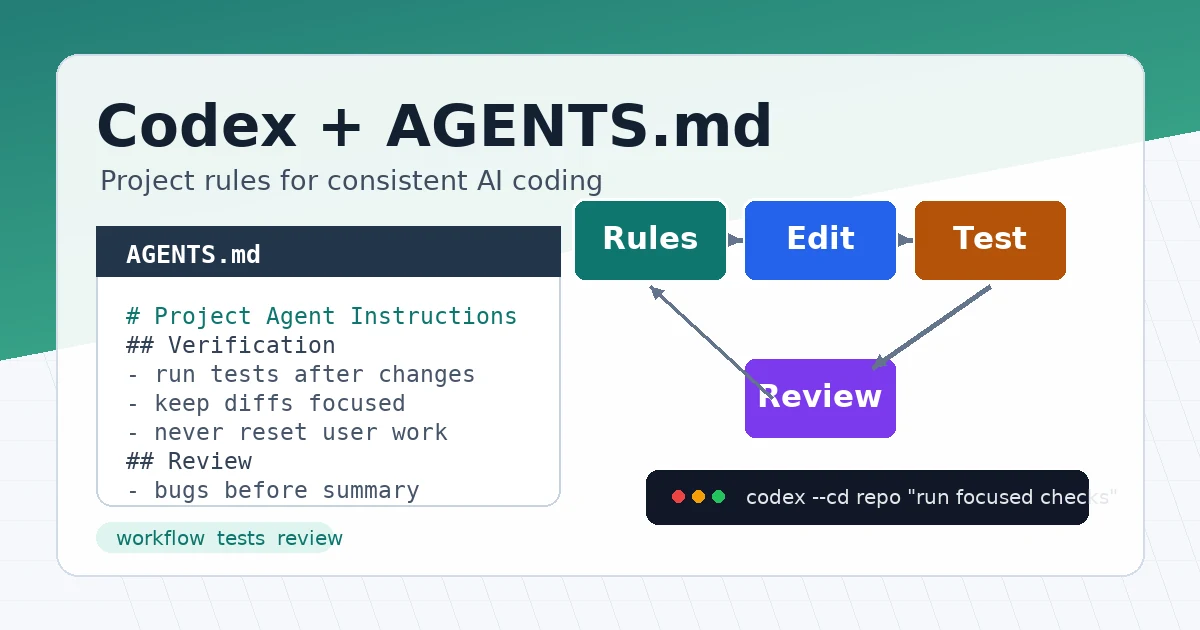
The hardest part of using AI coding tools is often not code generation. It is repeating the same project rules every time: which package manager to use, which test command to run, which directories to avoid, and how to review changes before committing.
Codex supports AGENTS.md for persistent project instructions. The goal of this guide is simple: put a reusable rules file into your project so Codex reads the project conventions before it starts editing code.
Method 1: Separate Global Rules from Project Rules
AGENTS.md can live at different levels:
- Global rules:
~/.codex/AGENTS.md, useful for personal long-term preferences. - Project rules: repository root
AGENTS.md, useful for build, test, and style conventions. - Directory rules: deeper
AGENTS.mdfiles, useful for frontend, backend, scripts, or other local constraints.
In practice, start with this split:
- Put personal habits in the global rules.
- Put team or project requirements in the repository root.
- Add local directory rules only when a subtree really needs different behavior.
This keeps the instruction files short and makes it easier to debug which rules Codex is reading.
Method 2: Create a Global AGENTS.md
1. Prepare the directory
First make sure the Codex config directory exists:
mkdir -p ~/.codex
Create a global instruction file:
nano ~/.codex/AGENTS.md
Add reusable preferences:
# Global Codex Instructions

## Working Style

- Before editing, inspect the relevant files and existing patterns.
- Prefer small, focused changes over broad refactors.
- Do not run destructive git commands unless I explicitly ask.
- When tests are available, run the narrowest useful test first.

## Communication

- Explain what changed and which command verified it.
- If a command needs network access, ask before running it.
These rules should work across repositories. Avoid project-specific paths, commands, or business names here.
2. Verify the global rules
Run this command from any directory:
codex --ask-for-approval never "Summarize the current instructions."
Expected result: Codex should summarize the rules from ~/.codex/AGENTS.md, such as avoiding destructive git commands and reading relevant files before editing.
If you do not see those rules, check the file path and content:
ls -l ~/.codex/AGENTS.md
sed -n '1,120p' ~/.codex/AGENTS.md
Method 3: Add AGENTS.md to a Project
Enter your project root:
cd /path/to/your-project
git status --short
Create the project instruction file:
nano AGENTS.md
Here is a practical template for many code repositories:
# Project Agent Instructions

## Scope

- Apply these instructions to the whole repository.
- Keep changes focused on the user request.
- Preserve existing file names, routing conventions, and public APIs.

## Setup

- Use `pnpm install` for JavaScript dependencies.
- Use `uv sync` for Python dependencies.
- Do not add a new runtime dependency without explaining why.

## Development

- Follow existing code style before introducing a new pattern.
- Prefer structured parsers over ad hoc string parsing when possible.
- Add or update tests when behavior changes.

## Verification

- For frontend changes, run `pnpm test` when tests exist.
- For Python changes, run `uv run pytest` when tests exist.
- For documentation-only changes, check formatting and links manually.

## Git Safety

- Do not run `git reset --hard`.
- Do not revert user changes unless explicitly asked.
- Show changed files before summarizing the result.
The point of this template is not to be exhaustive. It captures the rules you usually repeat: setup, tests, style, and Git safety boundaries.
Method 4: Add Local Rules for Subdirectories
If frontend and backend rules are clearly different, add more specific rules under those directories.
Example structure:
your-project/
├── AGENTS.md
├── frontend/
│   └── AGENTS.md
└── backend/
    └── AGENTS.md
Frontend example:
# Frontend Instructions

## Scope

- Apply these instructions inside `frontend/`.

## Verification

- Run `pnpm lint` after UI changes.
- Run `pnpm test` after behavior changes.
- Check mobile layout for pages touched by the change.

## Design

- Reuse existing components before adding new ones.
- Keep button labels short and use existing icon components.
Backend example:
# Backend Instructions

## Scope

- Apply these instructions inside `backend/`.

## Verification

- Run `uv run pytest` after Python behavior changes.
- Run `uv run ruff check .` when lint rules exist.

## Safety

- Never print secrets in logs.
- Validate file paths before reading or writing user-provided paths.
When you start Codex from frontend/, Codex sees the repository rules first and then the frontend rules. Rules closer to the current directory are more specific, so they are a good place for local overrides.
Method 5: Validate the Workflow with a Small Change
After writing the rules, do not start with a large refactor. Use a small task to verify whether Codex follows the instructions.
For example:
codex --cd /path/to/your-project "Add one missing test for the date formatting helper, then run the narrowest relevant test."
Watch for three things:
- Codex reads the relevant files before editing.
- Codex changes only files related to the task.
- Codex runs the verification command described in
AGENTS.md.
After the change, inspect the diff:
git status --short
git diff --stat
git diff
If the result looks right, the rules are ready for larger tasks. If the behavior is unstable, improve AGENTS.md instead of repeating the same constraints in every prompt.
Method 6: Put Review Expectations in AGENTS.md
AGENTS.md is also useful for review style, not just test commands.
Add this section:
## Review Expectations

- For code review, report bugs and regressions first.
- Include file and line references when possible.
- Mention missing tests only when they are relevant to the changed behavior.
- Keep summaries shorter than findings.
Then you can ask Codex for a review:
codex "Review the current uncommitted changes. Focus on bugs, regressions, and missing tests."
Codex no longer needs to rediscover your preferred review shape every time, and the output becomes more consistent.
Validation: Confirm Codex Loaded the Rules
A useful first check is:
codex status
To ask Codex to explain the active rules, run:
codex --ask-for-approval never "List the instruction files you loaded and summarize the most important rules."
You can also verify local rules from a subdirectory:
codex --cd frontend --ask-for-approval never "Summarize the active project instructions."
Expected result:
Loaded instructions include the repository AGENTS.md and frontend/AGENTS.md.
Important rules include running pnpm lint for UI changes and preserving existing components.
The real output does not need to match this text exactly, but it should reflect the important rules you wrote.
Troubleshooting
1. Codex does not read AGENTS.md
First confirm that you are in the intended directory:
pwd
git rev-parse --show-toplevel
ls -l AGENTS.md
If you start Codex from the wrong directory, it may read another project’s rules instead.
2. You changed the rules but Codex still follows old behavior
Start a fresh Codex session:
codex
Rules are usually loaded at the start of each run or interactive session. If you edit AGENTS.md in the middle of a session, the safest fix is to exit and reopen Codex.
3. Directory rules override too much
Local rules should describe differences only. Do not copy the full root file into every subdirectory.
A better local rule looks like this:
## Verification

- In this directory, run `pnpm test:components` instead of the root test command.
Avoid repeating all common rules in subdirectories, or maintenance cost will climb quickly.
4. The instruction file is too long
Split rules by level:
- Put common constraints in the root file.
- Put local commands in subdirectories.
- Put complex processes in
docs/, then link to them fromAGENTS.mdwith a short summary.
If the file grows too long, Codex may only read part of it. Important commands and safety boundaries should appear near the top.
5. Codex runs a command you did not want
Make the rule more specific:
## Commands

- Do not run database migration commands unless I explicitly ask.
- Do not install dependencies without explaining the package name and reason first.
- Ask before running commands that require network access.
Combine this with Codex approval and sandbox settings so higher-risk actions require human confirmation.
Summary
The value of AGENTS.md is turning repeated project instructions into default context. Start with global habits, add project rules, and create subdirectory rules only when they are needed.
A useful AGENTS.md does not need to be long, but it should include setup, tests, style, Git safety, and review expectations. After writing it, validate the rules with a small task before relying on it for real development work.
- 原文作者:春江暮客
- 原文链接:https://www.bobobk.com/en/codex-agents-md-workflow.html
- 版权声明:本作品采用 知识共享署名-非商业性使用-禁止演绎 4.0 国际许可协议 进行许可,非商业转载请注明出处(作者,原文链接),商业转载请联系作者获得授权。