Serialization and Deserialization in Python
2019-07-01
Technology
Sometimes you may need to temporarily store data so it can be accessed directly the next time the program runs, or used for inter-thread data exchange. Serialization helps with this. Here, we explain Python’s serialization and deserialization using the pickle package.
What Are Serialization and Deserialization?
- Serialization: Converting Python data into a binary data stream.
- Deserialization: Converting a binary data stream back into a Python object.
Using Python’s pickle Module
dumps(): This function converts Python objects into a data stream.loads(): This function restores the stored data stream back into Python objects.
One important warning: pickle should only be used with trusted data sources. Loading untrusted pickle content can be unsafe.
Below is an example of using pickle for serialization and deserialization in Python.
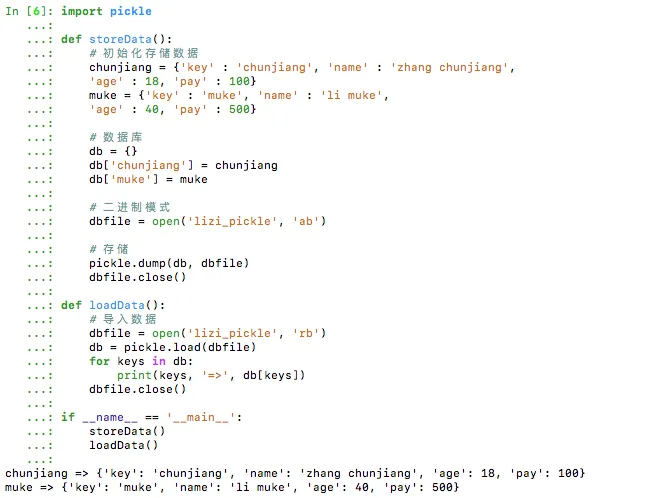
pickle Example: Using a File
pickle.dump(obj, file, protocol=None, *, fix_imports=True)
import pickle

def storeData():
    # Initialize data
    chunjiang = {'key' : 'chunjiang', 'name' : 'zhang chunjiang',
    'age' : 18, 'pay' : 100}
    muke = {'key' : 'muke', 'name' : 'li muke',
    'age' : 40, 'pay' : 500}

    # Database
    db = {}
    db['chunjiang'] = chunjiang
    db['muke'] = muke

    # Binary mode
    dbfile = open('lizi_pickle', 'wb')

    # Store
    pickle.dump(db, dbfile)
    dbfile.close()

def loadData():
    # Load data
    dbfile = open('lizi_pickle', 'rb')
    db = pickle.load(dbfile)
    for keys in db:
        print(keys, '=>', db[keys])
    dbfile.close()

if __name__ == '__main__':
    storeData()
    loadData()
Output:
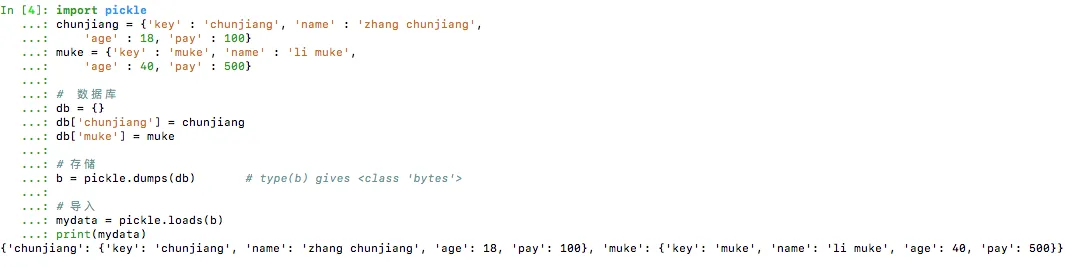
pickle Example: Without Using a File
import pickle
chunjiang = {'key' : 'chunjiang', 'name' : 'zhang chunjiang',
    'age' : 18, 'pay' : 100}
muke = {'key' : 'muke', 'name' : 'li muke',
    'age' : 40, 'pay' : 500}

# Database
db = {}
db['chunjiang'] = chunjiang
db['muke'] = muke

# Serialize
b = pickle.dumps(db)       # type(b) gives <class 'bytes'>

# Deserialize
mydata = pickle.loads(b)
print(mydata)
Summary
This article gives a brief introduction and code examples for serialization and deserialization in Python with
pickle. In practice, remember to treat pickle files as trusted-only data.
- 原文作者:春江暮客
- 原文链接:https://www.bobobk.com/en/361.html
- 版权声明:本作品采用 知识共享署名-非商业性使用-禁止演绎 4.0 国际许可协议 进行许可,非商业转载请注明出处(作者,原文链接),商业转载请联系作者获得授权。