M3U8 to MP4 Tutorial: Download and Convert M3U8 Videos Using Python or Static HTML
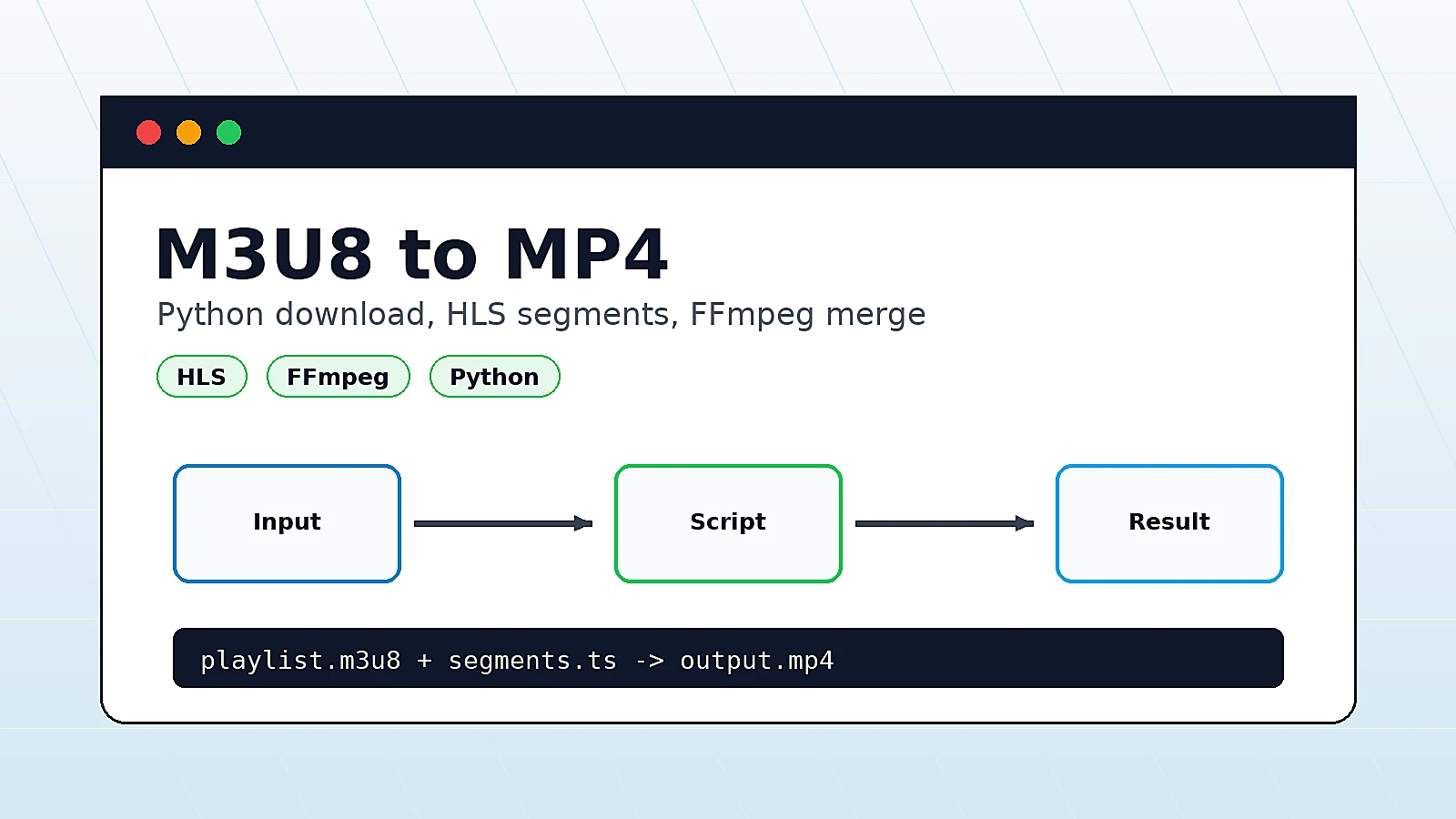
Sometimes you may want to download an M3U8 (HLS) video stream and convert it into an MP4 file for offline viewing or local storage, without relying on complex server-side solutions or paid software.
In this article, I will introduce two practical and commonly used methods to convert M3U8 to MP4:
- Using Python with the
downloadm3u8package - Using static HTML with browser-side FFmpeg (FFmpeg.wasm)
Each method fits a different use case:
- Choose Python when you want better stability or batch downloads
- Choose the browser-based method when you want a quick one-off download without installing tools
- Choose static HTML when you want to expose the workflow as a lightweight web tool
Method 1: Convert M3U8 to MP4 Using Python downloadm3u8
This method is suitable for local machines or servers, requires installing dependencies, and is very stable.
It is recommended for large video files or batch downloads.
1. Install Dependencies
First, install ffmpeg (used for video merging) and the downloadm3u8 Python package:
apt install ffmpeg -y
pip install downloadm3u8
2. View Help Information
After installation, check the available options:
downloadm3u8 -h
Example output:
usage: m3u8downloader [-h] [--user-agent USER_AGENT] [--origin ORIGIN]
                      [--version] [--debug] --output OUTPUT
                      [--tempdir TEMPDIR] [--keep]
                      [--concurrency N]
                      URL
3. Download Example
Assume your M3U8 URL is: bobobk test m3u8
m3u8downloader https://www.bobobk.com/wp-content/uploads/2026/01/test.m3u8 -o test.mp4
The tool will automatically download all TS segments and merge them into a single MP4 file.
If the source server validates headers, try adding --user-agent or --origin.
Method 2: Convert M3U8 to MP4 Using Static HTML (No Installation Required)
If you do not want to install Python or FFmpeg, or you only need to download a video occasionally, the browser-based solution is more convenient. This method works entirely in the browser using FFmpeg.wasm.
Core Workflow
- Parse the M3U8 playlist:If it is a master playlist, automatically select the media playlist.
- Download TS segments in parallel:TS files are fetched and cached in the browser using IndexedDB.
- Merge TS files into MP4:FFmpeg.wasm merges the segments and generates an MP4 file locally.
Static HTML M3U8 Downloader Example
<!DOCTYPE html>
<html lang="zh-CN">
<head>
<meta charset="UTF-8">
<meta name="viewport" content="width=device-width, initial-scale=1.0">
<title>M3U8 在线下载器</title>
<script src="https://unpkg.com/@ffmpeg/ffmpeg@0.11.6/dist/ffmpeg.min.js"></script>
<style>
body { font-family: Arial, sans-serif; background:#fafafa; }
#container { width:90%; max-width:600px; margin:auto; padding-top:20px; }
progress { width:100%; height:20px; margin-top:10px; }
#progress-text { text-align:center; margin-top:5px; }
#info-box { padding:10px; background:#eef; margin-bottom:10px; border-radius:5px; text-align:center; font-weight:bold; }
</style>
</head>
<body>
<div id="container">
  <h1 style="text-align:center;">M3U8 视频下载合并工具</h1>
  <div id="info-box">准备中…</div>
  <progress id="progress" value="0" max="100"></progress>
  <div id="progress-text">0%</div>
</div>
<script>
// IndexedDB 缓存
const DB_NAME = 'hls-cache';
const STORE = 'segments';
let outputName = 'video';
let downloadedCount = 0;

async function openDB() {
  return new Promise((res, rej) => {
    const r = indexedDB.open(DB_NAME,1);
    r.onupgradeneeded = () => r.result.createObjectStore(STORE,{keyPath:'sn'});
    r.onsuccess = () => res(r.result);
    r.onerror = () => rej(r.error);
  });
}

async function saveSegment(sn,data){
  const db = await openDB();
  db.transaction(STORE,'readwrite').objectStore(STORE).put({sn,data});
}

async function getSegments(){
  const db = await openDB();
  return new Promise((res,rej)=>{
    const req = db.transaction(STORE,'readonly').objectStore(STORE).getAll();
    req.onsuccess = ()=>res(req.result||[]);
    req.onerror = ()=>rej(req.error);
  });
}

async function clearSegments(){
  const db = await openDB();
  db.transaction(STORE,'readwrite').objectStore(STORE).clear();
}

// 工具函数
function qs(n){return new URLSearchParams(location.search).get(n);}
function base64Decode(str){try{return decodeURIComponent(atob(str).split('').map(c=>'%'+('00'+c.charCodeAt(0).toString(16)).slice(-2)).join(''));}catch(e){return str;}}

const infoBox = document.getElementById('info-box');
const progress = document.getElementById('progress');
const progressText = document.getElementById('progress-text');

function updateProgress(total){
  const percent = Math.min(100, downloadedCount/total*100);
  progress.value = percent;
  progressText.innerText = `已下载 ${percent.toFixed(1)}%`;
}

async function fetchWithRetry(url,retries=3,delay=1000){
  for(let i=0;i<retries;i++){
    try{
      const res = await fetch(url);
      if(!res.ok) throw new Error(`HTTP ${res.status}`);
      return new Uint8Array(await res.arrayBuffer());
    }catch(e){
      if(i<retries-1) await new Promise(r=>setTimeout(r,delay));
      else throw e;
    }
  }
}

async function getMediaPlaylist(masterUrl){
  const text = await (await fetch(masterUrl)).text();
  const lines = text.split('\n');
  for(let i=0;i<lines.length;i++){
    if(lines[i].startsWith('#EXT-X-STREAM-INF')){
      let nextLine = lines[i+1].trim();
      nextLine = new URL(nextLine,masterUrl).href;
      return nextLine;
    }
  }
  return masterUrl;
}

async function downloadSegmentsParallel(m3u8Url,concurrency=5){
  await clearSegments();
  const baseUrl = m3u8Url.split('/').slice(0,-1).join('/') + '/';
  const lines = (await (await fetch(m3u8Url)).text()).split('\n').filter(l=>l&&!l.startsWith('#'));
  const total = lines.length;
  downloadedCount = 0;
  updateProgress(total);

  let index=0;
  const workers=Array(concurrency).fill(null).map(async()=>{
    while(index<total){
      const i=index++;
      const url = lines[i].startsWith('http')?lines[i]:baseUrl+lines[i];
      try{
        const data = await fetchWithRetry(url);
        await saveSegment(i,data);
      }catch(e){console.warn(`分片 ${i} 下载失败`,e);}
      downloadedCount++;
      updateProgress(total);
    }
  });
  await Promise.all(workers);
}

async function finalize(){
  infoBox.innerText=`正在合并为 ${outputName}.mp4 …`;
  const segments = (await getSegments()).sort((a,b)=>a.sn-b.sn);
  const ffmpeg = FFmpeg.createFFmpeg({log:true});
  await ffmpeg.load();
  for(const s of segments) ffmpeg.FS('writeFile',`${s.sn}.ts`,new Uint8Array(s.data));
  const list = segments.map(s=>`file '${s.sn}.ts'`).join('\n');
  ffmpeg.FS('writeFile','list.txt',new TextEncoder().encode(list));
  await ffmpeg.run('-fflags','+genpts','-f','concat','-safe','0','-i','list.txt','-movflags','+faststart','-c','copy','out.mp4');
  const mp4 = ffmpeg.FS('readFile','out.mp4');
  const blob = new Blob([mp4.buffer],{type:'video/mp4'});
  const a=document.createElement('a');
  a.href=URL.createObjectURL(blob);
  a.download=outputName+'.mp4';
  a.click();
  await clearSegments();
  infoBox.innerText='下载完成 ✅';
  progress.value=100;
  progressText.innerText='100%';
}

(async function(){
  const encoded = qs('url');
  const nameParam = qs('name');
  if(!encoded){infoBox.innerText='未提供视频地址';return;}
  outputName=nameParam||'video';
  infoBox.innerText=`正在下载 ${outputName}.mp4 …`;
  try{
    const m3u8Url = base64Decode(encoded);
    const media = await getMediaPlaylist(m3u8Url);
    await downloadSegmentsParallel(media,5);
    await finalize();
  }catch(e){infoBox.innerText=`发生错误:${e.message}`;console.error(e);}
})();
</script>
</body>
</html>
How to Use the HTML M3U8 Downloader
- Base64 Encode the M3U8 URL
from base64 import b64encode

url = "https://www.bobobk.com/wp-content/uploads/2026/01/test.m3u8"
encoded = b64encode(url.encode()).decode()
print(encoded)
-
Open the Download Page https://www.bobobk.com/m3u8.html?url=aHR0cHM6Ly93d3cuYm9ib2JrLmNvbS93cC1jb250ZW50L3VwbG9hZHMvMjAyNi8wMS90ZXN0Lm0zdTg=&name=test The browser will automatically:
-
Download TS fragments
-
Merge them into MP4
-
Trigger the file download
How to validate the MP4 output
Whichever method you use, check at least these three things:
- The MP4 plays normally instead of showing black frames or audio-only output
- The output duration is close to the original stream duration
- The file size is not obviously too small, which often means some segments were missed
If you have ffmpeg installed locally, you can also inspect the file directly:
ffmpeg -i test.mp4
If FFmpeg can read the stream info normally, the merged file is usually in acceptable shape.
Comparison: Python vs HTML M3U8 to MP4
| Method | Installation Required | Best For |
|---|---|---|
| Python downloadm3u8 | Yes | Large files, batch downloads |
| HTML + FFmpeg.wasm | No | Online, quick, one-time downloads |
Notes and Limitations
- Browser-based solution: uses FFmpeg.wasm and consumes more memory, so it is best for small to medium videos.
- Python solution: more stable and better suited for large files or repeated downloads.
- CORS restrictions: the HTML method requires the M3U8 server to allow cross-origin access.
- Legal considerations: only download videos you are authorized to access.
Common errors and fixes
1. You get 403 errors or segment downloads fail
Most common cause: anti-hotlinking checks on the source server.
Fix:
- Add
--user-agentor--originin the Python command - Check whether the M3U8 URL has expired
- Confirm the source server allows access from your current IP
2. The browser method stalls during download
Most common cause: too many segments, not enough browser memory, or missing CORS headers.
Fix:
- Switch to the Python command-line method
- Reduce browser memory pressure by closing other heavy tabs
- Inspect the browser console for CORS-related errors
3. The generated MP4 does not play correctly
Most common cause: incomplete segment download or an encrypted source stream.
Fix:
- Re-download and confirm all TS segments were fetched
- Check whether the M3U8 playlist contains encryption fields
- Test the workflow with a short sample stream first
Related reading
If you want a lower-level Python walkthrough for handling M3U8 segments and embedding the result into a page, continue with:
- Downloading m3u8 Streaming Media Using Python and Embedding into AMP Webpages
- Electron in Practice: Building an M3U8 Video Downloader
Conclusion
Choose Python downloadm3u8 for stability, repeatability, and larger files. Choose HTML + FFmpeg.wasm for convenience and zero installation.
In practice, the important part is not only whether the video downloads, but whether the source allows access, the segments are merged cleanly, and the final MP4 plays without errors.
- 原文作者:春江暮客
- 原文链接:https://www.bobobk.com/en/how_to_generate_mp4_from_m3u8.html
- 版权声明:本作品采用 知识共享署名-非商业性使用-禁止演绎 4.0 国际许可协议 进行许可,非商业转载请注明出处(作者,原文链接),商业转载请联系作者获得授权。
相关文章
- How to Convert Between YAML and JSON (Complete Python/JavaScript Guide)
- Python Converts All Site Images to WebP Format
- Downloading m3u8 Streaming Media Using Python and Embedding into AMP Webpages
- Foundations of Data Science: Common Probability Distributions and Their Explanations
- Seamless Migration from WordPress to Fully Static Hugo Website