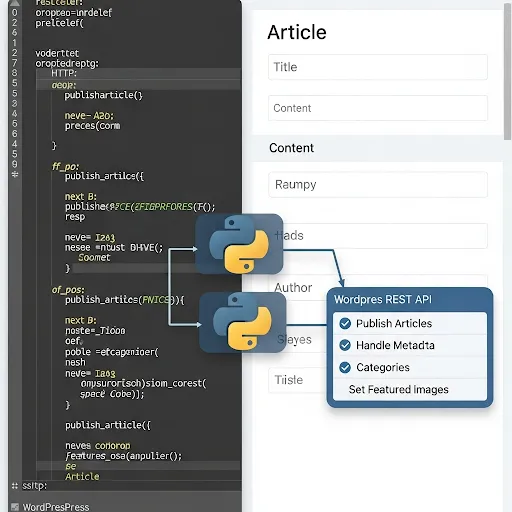
Use Cloudflare Workers to Free Accelerate WordPress Blog
How to fix Google AdSense warnings about revenue loss risk due to ads.txt issues
Nginx reverse proxy TCP/UDP requests to map remote servers
Install VNC Server on Alibaba Cloud centos7 for Graphical Access
Using Google Chrome to Test Interface Techniques
10 Tips to Improve Your Python Data Analysis Skills
How to Enable IPv6 Access on Alibaba Cloud ECS
Using Soft-EtherVPN to Set Up OpenVPN to Bypass Webpage Authentication
Serialization and Deserialization in Python
pickle, including file-based examples, dumps() and loads(), and one important safety warning for real-world use.……
Build a Google Mirror Site Using Docker
Due to a new environment where the router does not support installing Shadowsocks or V2Ray, accessing Google to search vast technical content in English is not possible. Here, we use the official Google mirror container to build a Google mirror site and map it to our existing domain.
Requirements:
- A VPS such as Vultr, etc.
- A domain name. In this case, we use
google.bobobk.comas the Google mirror domain.
I chose an Amazon VPS. Since I couldn’t find a good CentOS image, I used Ubuntu as the operating system.
Steps to build the mirror site:
- Set domain DNS to point to your VPS
- Add the site to your nginx server. I used the BT (BaoTa) panel, which is quite convenient.
- Modify the config file to set up a reverse proxy to Docker’s mapped port
1. Set domain resolution
Since I use Cloudflare CDN, I’ll use it as an example.
……
Extracting Free High Anonymity Proxies with Python3
Writing web crawlers often leads to problems like IP bans or rate limits. Having an efficient IP proxy pool is quite important. Here, we introduce how to extract valid IPs from public proxy sources and build your own efficient crawler proxy pool.
Main Modules:
- Use
requeststo crawl proxies - Update and check available proxies
Crawling Proxies with requests, using xici as an example
Anonymous proxy page: xici, inspect elements.

Each proxy is contained in a tr under the element with id ip_list, and detailed info is under td. Therefore, the CSS selector can be
content.css("#ip_list").css(“tr”), then extract the 1st and 6th elements.
Later, we add IP availability checking logic, and store successful ones into a JSON file. After that, available proxy information can be accessed via HTTP.
#!/root/anaconda3/bin/python
from scrapy.selector import Selector
import redis
import requests
import json
import requests
from requests.packages.urllib3.exceptions import InsecureRequestWarning
requests.packages.urllib3.disable_warnings(InsecureRequestWarning)
import random
def get_headers():
USER_AGENT_LIST = [
'Mozilla/4.0 (compatible; MSIE 7.0; Windows NT 5.1; WOW64; Trident/4.0; SLCC2; .NET CLR 2.0.50727; .NET CLR 3.5.30729; .NET CLR 3.0.30729; Media Center PC 6.0; 360SE)',
'Mozilla/5.0 (Macintosh; Intel Mac OS X 10_13_6) AppleWebKit/537.36 (KHTML, like Gecko) Chrome/74.0.3729.169 Safari/537.36',
'Mozilla/4.0 (compatible; MSIE 6.0; Windows NT 5.1; WOW64; Trident/4.0; SLCC2; .NET CLR 2.0.50727; .NET CLR 3.5.30729; .NET CLR 3.0.30729; .NET4.0C; .NET4.0E; 360SE)'
'Mozilla/5.0 (Windows NT 10.0; Win64; x64) AppleWebKit/537.36 (KHTML, like Gecko) Chrome/64.0.3282.140 Safari/537.36 Edge/18.17763',
'"Mozilla/5.0 (Linux; Android 6.0.1; Nexus 5X Build/MMB29P) AppleWebKit/537.36 (KHTML, like Gecko) Chrome/41.0.2272.96 Mobile Safari/537.36',
'Mozilla/5.0 (Windows NT 10.0; WOW64) AppleWebKit/537.36 (KHTML, like Gecko) Chrome/58.0.3029.110 Safari/537.36 SE 2.X MetaSr 1.0',
]
USER_AGENT = random.choice(USER_AGENT_LIST)
return {'User-Agent':USER_AGENT}
def get_random_proxy():
https_pro=[i for i in pro if "https" in i]
if len(https_pro)==0:
return None
else:
return https_pro[random.randint(0,len(https_pro))]
def crawl_ip():
for i in range(5):
rand_ip = get_random_proxy()
if rand_ip:
r =requests.get('https://www.xicidaili.com/nn/{}'.format(str(i+1)),headers=get_headers())
else:
r =requests.get('https://www.xicidaili.com/nn/{}'.format(str(i+1)),headers=get_headers(),proxies=proxies_ip(rand_ip))
content = Selector(r)
ip_list = content.css("#ip_list").css("tr")
for i in ip_list[1:]:
info = i.css("td::text").extract()
ip = info[0]
protoco = info[5].strip().lower()
if protoco=="http" or protoco=="https":
url = protoco + '://' + ip + ':' + info[1]
else:
url = 'http://' + ip + ':' + info[1]
validate_ip(url)
def proxies_ip(url):
if 'https' not in url:
proxies={'http':url}
else:
proxies={'https':url}
return proxies
def validate_ip(url):
proxies = proxies_ip(url)
if url not in pro:
bobo_url=http_url
if "https" in url:
bobo_url=https_url
try:
r = requests.get(bobo_url, headers=get_headers(), proxies=proxies, timeout=1)
pro.append(url)
print('ip %s validated' % url)
except Exception as e:
print('cant check ip %s' % url)
def check_current_ip(): # Update and check usable proxies
curr = open(JSON_PATH).read()
if curr!='':
for url in json.loads(open(JSON_PATH).read()):
validate_ip(url)
if __name__ =='__main__':
http_url = "http://www.bobobk.com"
https_url = "https://www.bobobk.com"
pro = []
TXT_PATH = '/www/wwwroot/default/daili.txt'
JSON_PATH='/www/wwwroot/default/daili.json'
PROXYCHAIN_CONF='/www/wwwroot/default/proxy.conf'
check_current_ip()
crawl_ip()
with open(JSON_PATH,'w') as fw:
fw.write(json.dumps(list(set(pro))))
fw.close()
with open(TXT_PATH,'w') as fw:
for i in set(pro):
fw.write(i+"n")
fw.close()
Update and Check Usable Proxies
Before each page fetch, the script checks for usable proxies, and automatically uses them to fetch new ones. This setup can run stably.
……最新文章
- Codex Project Rules: Use AGENTS.md to Keep AI Coding Consistent
- Python Log Triage: Use rg and uv to Find Nginx 5xx Errors Fast
- Connect Codex to LiteLLM with Nginx as One Model Gateway
- Write Self-Contained Python Scripts with uv and PEP 723
- Build a Sky Flap Browser Game with Phaser: Source Download to Local Run
- Secure Python MCP Server: Add Boundaries to AI Tool Calls
- 2026 Practical Python Workflow: Replace pip, venv, and pipx with uv
- 2026 Practical Guide: Build Your First MCP Server with Python
- rg Tutorial: Why Many Developers Use ripgrep Instead of grep
- 2026 Webmaster Playbook: Automate llms.txt for AI Search with Python