Drawing a Stunning "Dream of the Red Chamber" Word Cloud with Python 3
Word clouds, which I’m sure you’ve all seen, are created using wordcloud, a famous Python library. This article will detail how to use wordcloud to create a word cloud for “Dream of the Red Chamber,” one of China’s Four Great Classical Novels.
1. Preparation
This involves three parts:
1. Install wordcloud and jieba
You can install them with pip install wordcloud and pip install jieba.
2. Prepare a Chinese font file
3. Prepare the text file
The .txt file and the font file are bundled so this example is easier to reproduce.
2. Drawing the “Dream of the Red Chamber” Word Cloud
Here’s the code directly:
    from wordcloud import WordCloud
    import jieba
    import matplotlib.pyplot as plt
    text = "".join(jieba.cut(open("红楼梦.txt").read()))
    wordcloud = WordCloud(font_path="kaibold.ttf").generate(text)

    # Display the generated image:
    plt.imshow(wordcloud, interpolation='bilinear')
    plt.axis("off")
    plt.margins(x=0, y=0)
    plt.show()
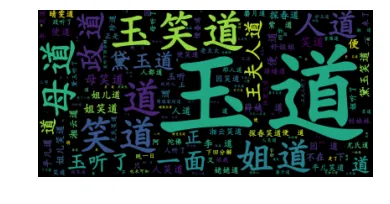
In the example above, we first import the necessary libraries, then read the text file and perform Chinese word segmentation using jieba’s cut function. After segmentation, the result is a list. We then join the list with spaces to meet the input requirements of the word cloud tool, similar to English text. Finally, we specify the font file to generate the graphic.
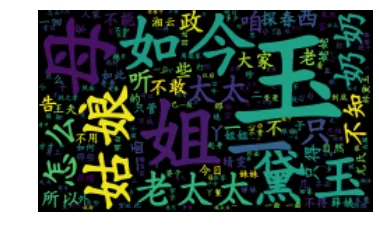
In practice, word clouds usually look better after removing high-frequency words that carry little meaning in the final visualization. That is why a stopword list is often used in the next step.
As you can see, the word cloud has been successfully generated, but there are still some obvious issues. For instance, the word “道” (dào) appears many times with a very high frequency, which needs to be removed. Let’s proceed with the removal.
3. Word Cloud in a Specific Shape
In addition to direct plotting, wordcloud can also draw word clouds based on a user-defined shape. This powerful feature simply requires specifying the mask parameter when generating the word cloud. Here’s the code:
    from wordcloud import WordCloud
    import jieba,requests
    from PIL import Image
    from io import BytesIO
    import numpy as np
    import matplotlib.pyplot as plt
    text = " ".join(jieba.cut(open("红楼梦.txt").read()))
    remove_word = [i.strip() for i in open("remove.txt").readlines()]
    for i in remove_word:
        text = text.replace(i+" ","")
    wave_mask = np.array(Image.open(BytesIO(requests.get(
            "https://www.bobobk.com/wp-content/uploads/2018/11/butter.jpg").content)))

    # Make the figure

    wordcloud = WordCloud(mask=wave_mask,background_color="lightblue",font_path="/Library/Fonts/kaibold.ttf").generate(text)

    plt.imshow(wordcloud, interpolation='bilinear')
    plt.axis("off")
    plt.margins(x=0, y=0)
    plt.show()
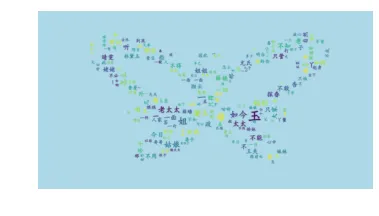
Here’s the word cloud generated using the butterfly curve from this site:
Summary
Using the open-source Python library wordcloud in conjunction with the Chinese word segmentation tool jieba, we’ve successfully created a word cloud for the complete text of “Dream of the Red Chamber.”
Download link for font and text files:
Link: https://pan.baidu.com/s/1Wi8sdpj9tva0pglDyfv8gA Extraction Code: pq6t
- 原文作者:春江暮客
- 原文链接:https://www.bobobk.com/en/252.html
- 版权声明:本作品采用 知识共享署名-非商业性使用-禁止演绎 4.0 国际许可协议 进行许可,非商业转载请注明出处(作者,原文链接),商业转载请联系作者获得授权。