用 Phaser 构建 Sky Flap 浏览器小游戏:从源码下载到本地运行
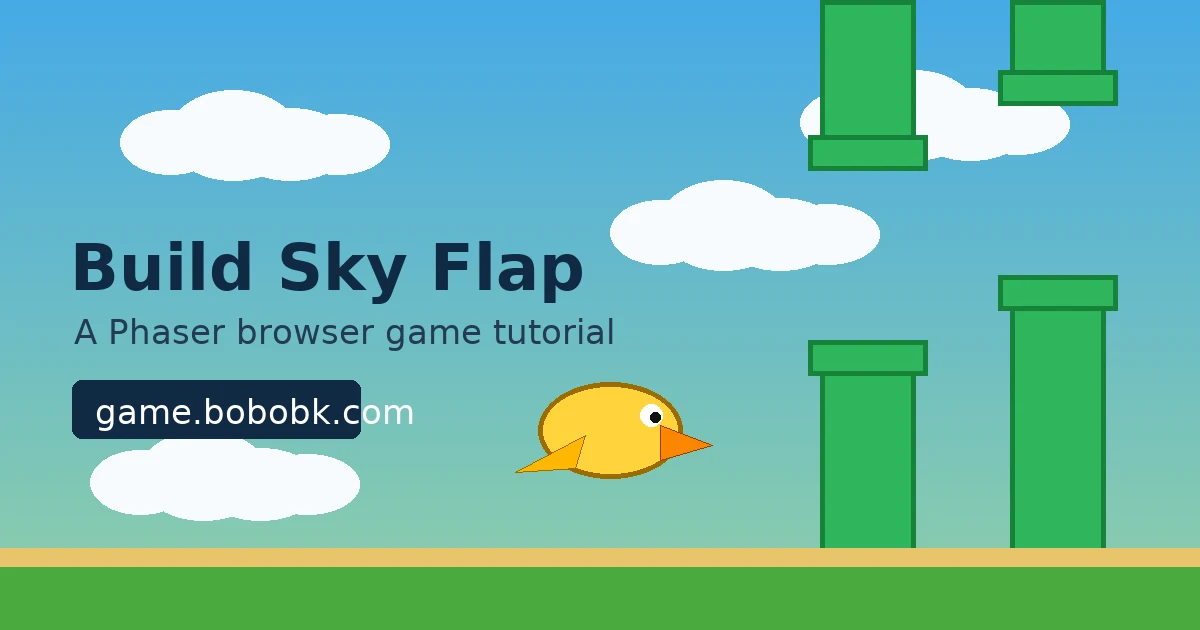
很多浏览器小游戏看起来只是一个 Canvas,但真正要做成可玩的版本,需要处理输入、重力、碰撞、计分、重开和发布。本文用我的小游戏 Sky Flap 做例子,目标很直接:下载线上页面源码,理解 Phaser 项目结构,然后用 Vite 和 Phaser 写出一个可以本地运行、可以打包发布的飞行躲避小游戏。
可以先试玩线上版本:
方法 1:下载线上页面源码
如果你只是想查看当前线上页面的 HTML,可以直接用 curl 下载。因为这里通过 IP 访问,需要手动带上 Host 头:
curl -L -H 'Host:game.bobobk.com' http://152.67.254.178/play/sky-flap/ -o sky-flap.html
下载后先看页面里加载了哪些脚本和样式:
grep -oE 'src="[^"]+"' sky-flap.html
grep -oE 'href="[^"]+"' sky-flap.html
如果页面是 Vite 打包后的产物,通常会看到类似这样的入口:
<script type="module" crossorigin src="/assets/index-DQ8f3xY2.js"></script>
<link rel="stylesheet" crossorigin href="/assets/index-BG4p7kLm.css">
继续下载 JS bundle:
JS_PATH=$(grep -oE '/assets/[^"]+\.js' sky-flap.html | head -1)
curl -L -H 'Host:game.bobobk.com' "http://152.67.254.178${JS_PATH}" -o sky-flap.bundle.js
这一步的价值不是直接修改压缩后的 bundle,而是确认游戏入口、资源路径和部署方式。真正开发时,建议维护一份清晰的源码项目,再用 npm run build 生成线上文件。
方法 2:创建 Phaser 项目
先创建一个 Vite 项目,再安装 Phaser:
npm create vite@latest sky-flap -- --template vanilla
cd sky-flap
npm install
npm install phaser
启动开发服务器:
npm run dev -- --host 0.0.0.0
浏览器打开终端里显示的地址。如果你在服务器上调试,记得开放对应端口,或者通过 Nginx 反向代理到 Vite 开发端口。
实现:写一个最小可玩的 Sky Flap
先把 index.html 简化成一个游戏容器:
<!doctype html>
<html lang="en">
  <head>
    <meta charset="UTF-8" />
    <meta name="viewport" content="width=device-width, initial-scale=1.0" />
    <title>Sky Flap</title>
  </head>
  <body>
    <div id="game"></div>
    <script type="module" src="/src/main.js"></script>
  </body>
</html>
再写 src/main.js。这个版本不依赖外部图片,直接用 Phaser 生成纹理,方便复制后立即运行:
import Phaser from 'phaser';

const WIDTH = 480;
const HEIGHT = 720;
const GRAVITY = 900;
const FLAP = -360;

class SkyFlap extends Phaser.Scene {
  constructor() {
    super('SkyFlap');
    this.score = 0;
    this.gameOver = false;
  }

  create() {
    this.score = 0;
    this.gameOver = false;
    this.createTextures();

    this.add.image(WIDTH / 2, HEIGHT / 2, 'sky').setDisplaySize(WIDTH, HEIGHT);
    this.player = this.physics.add.sprite(120, HEIGHT / 2, 'bird');
    this.player.setCircle(18);
    this.player.setCollideWorldBounds(true);

    this.pipes = this.physics.add.group();
    this.scoreText = this.add.text(24, 24, '0', {
      fontFamily: 'Arial',
      fontSize: '42px',
      color: '#ffffff',
      stroke: '#1f2937',
      strokeThickness: 6,
    });

    this.input.on('pointerdown', () => this.flap());
    this.input.keyboard.on('keydown-SPACE', () => this.flap());

    this.time.addEvent({
      delay: 1350,
      callback: this.spawnPipePair,
      callbackScope: this,
      loop: true,
    });

    this.physics.add.overlap(this.player, this.pipes, () => this.endGame());
  }

  update() {
    if (this.gameOver) return;

    this.player.rotation = Phaser.Math.Clamp(this.player.body.velocity.y / 500, -0.45, 0.9);

    this.pipes.children.iterate((pipe) => {
      if (!pipe) return;
      if (!pipe.scored && pipe.x < this.player.x && pipe.getData('scorePipe')) {
        pipe.scored = true;
        this.score += 1;
        this.scoreText.setText(String(this.score));
      }
      if (pipe.x < -80) pipe.destroy();
    });

    if (this.player.y > HEIGHT - 20 || this.player.y < 20) {
      this.endGame();
    }
  }

  flap() {
    if (this.gameOver) {
      this.scene.restart();
      return;
    }
    this.player.setVelocityY(FLAP);
  }

  spawnPipePair() {
    if (this.gameOver) return;

    const gap = 185;
    const center = Phaser.Math.Between(210, HEIGHT - 210);
    const topHeight = center - gap / 2;
    const bottomY = center + gap / 2;
    const bottomHeight = HEIGHT - bottomY;

    this.addPipe(WIDTH + 60, topHeight / 2, topHeight, false);
    this.addPipe(WIDTH + 60, bottomY + bottomHeight / 2, bottomHeight, true);
  }

  addPipe(x, y, height, scorePipe) {
    const pipe = this.pipes.create(x, y, 'pipe');
    pipe.setDisplaySize(74, height);
    pipe.setVelocityX(-190);
    pipe.setImmovable(true);
    pipe.body.allowGravity = false;
    pipe.setData('scorePipe', scorePipe);
    return pipe;
  }

  endGame() {
    if (this.gameOver) return;
    this.gameOver = true;
    this.physics.pause();
    this.add.text(WIDTH / 2, HEIGHT / 2, 'Game Over\\nClick to restart', {
      fontFamily: 'Arial',
      fontSize: '34px',
      color: '#ffffff',
      align: 'center',
      stroke: '#111827',
      strokeThickness: 6,
    }).setOrigin(0.5);
  }

  createTextures() {
    const g = this.add.graphics();

    g.fillStyle(0x55b7e8, 1);
    g.fillRect(0, 0, WIDTH, HEIGHT);
    g.generateTexture('sky', WIDTH, HEIGHT);

    g.clear();
    g.fillStyle(0xffd43b, 1);
    g.fillEllipse(24, 24, 48, 36);
    g.fillStyle(0xfb8500, 1);
    g.fillTriangle(44, 20, 66, 28, 44, 36);
    g.generateTexture('bird', 72, 52);

    g.clear();
    g.fillStyle(0x2fb65d, 1);
    g.fillRect(0, 0, 74, 420);
    g.lineStyle(4, 0x16823a, 1);
    g.strokeRect(0, 0, 74, 420);
    g.generateTexture('pipe', 74, 420);

    g.destroy();
  }
}

new Phaser.Game({
  type: Phaser.AUTO,
  parent: 'game',
  width: WIDTH,
  height: HEIGHT,
  backgroundColor: '#55b7e8',
  physics: {
    default: 'arcade',
    arcade: {
      gravity: { y: GRAVITY },
      debug: false,
    },
  },
  scene: SkyFlap,
});
这个版本已经包含完整循环:
- 点击或按空格让角色上升
- 管道持续从右向左移动
- 角色碰到管道或飞出边界后结束
- 游戏结束后再次点击重开
打包和发布
本地确认能玩以后,执行构建:
npm run build
Vite 会生成 dist/ 目录。可以先本地预览:
npm run preview -- --host 0.0.0.0
如果要发布到 /play/sky-flap/,可以把 dist/ 上传到对应目录。示例:
rsync -av --delete dist/ user@example.com:/var/www/game/play/sky-flap/
如果站点不是部署在根路径,记得在 vite.config.js 里设置 base:
import { defineConfig } from 'vite';

export default defineConfig({
  base: '/play/sky-flap/',
});
验证
发布后检查三件事:
curl -I https://game.bobobk.com/play/sky-flap/
curl -L https://game.bobobk.com/play/sky-flap/ | grep -E 'script|stylesheet'
浏览器里再确认:
- 页面能打开
- 点击或空格能控制角色
- 碰撞后能显示
Game Over - 刷新后没有 404 的 JS、CSS 或图片资源
常见问题
1. 页面空白
先打开浏览器 DevTools,看 Console 是否有 JS 报错。最常见原因是资源路径错了。部署在 /play/sky-flap/ 时,vite.config.js 要设置:
export default defineConfig({
  base: '/play/sky-flap/',
});
2. Phaser 找不到模块
如果看到 Failed to resolve import "phaser",说明依赖没有安装:
npm install phaser
3. 线上源码下载不到
如果 DNS 没有解析到目标机器,可以按本文开头的方式用 IP 加 Host 头下载:
curl -L -H 'Host:game.bobobk.com' http://152.67.254.178/play/sky-flap/ -o sky-flap.html
如果你在本机能返回 200,但服务器里失败,通常是当前环境的出站网络、机房防火墙或安全组限制,需要换到能访问目标 IP 的机器执行。
总结
Phaser 很适合做这种轻量浏览器小游戏:输入、物理、碰撞、计时器和 Canvas 渲染都已经封装好。实际项目可以先从线上页面下载源码确认部署结构,再回到清晰的 Vite 源码里维护游戏逻辑。Sky Flap 的核心不复杂,关键是把“可玩循环”和“可发布结构”同时做好。
- 原文作者:春江暮客
- 原文链接:https://www.bobobk.com/build-phaser-sky-flap-game.html
- 版权声明:本作品采用 知识共享署名-非商业性使用-禁止演绎 4.0 国际许可协议 进行许可,非商业转载请注明出处(作者,原文链接),商业转载请联系作者获得授权。