Codex 项目规则实战:用 AGENTS.md 固定 AI 编程规范
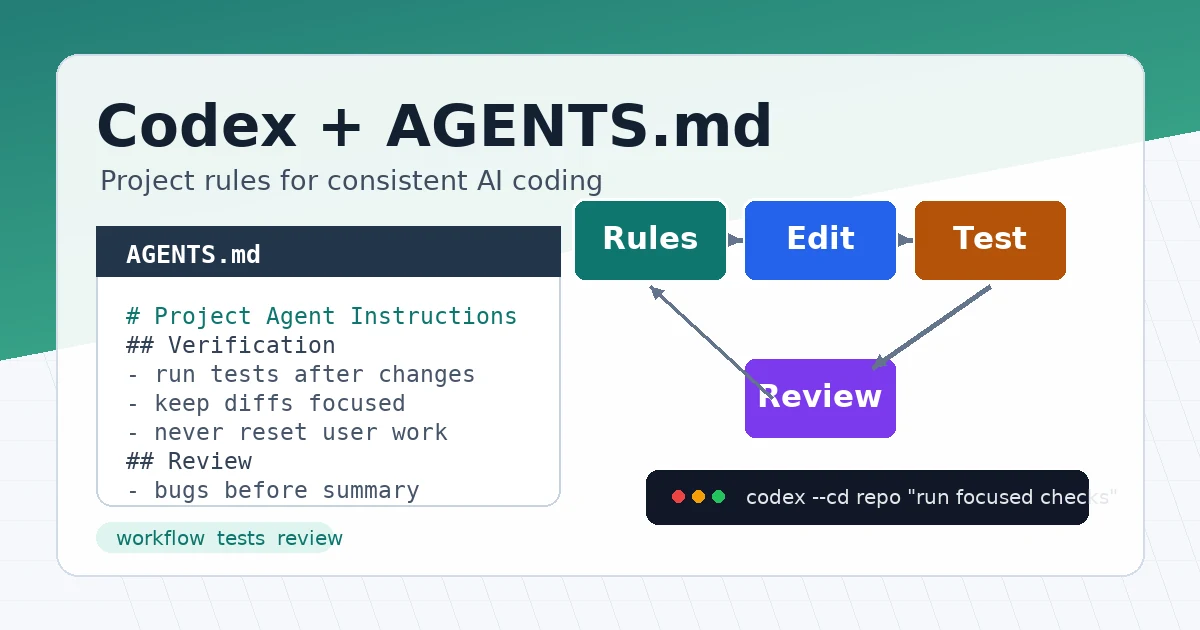
AI 编程工具最容易遇到的问题不是“不会写代码”,而是每次打开项目都要重复交代规则:用什么包管理器、改完跑什么测试、哪些目录不能动、提交前怎样检查。
Codex 支持用 AGENTS.md 保存这些项目规则。本文的目标很简单:把一套可复制的规则文件放进项目,让 Codex 每次进入仓库后先读取规范,再开始修改代码。
方法 1:先区分全局规则和项目规则
AGENTS.md 可以放在不同层级:
- 全局规则:放在
~/.codex/AGENTS.md,适合个人长期偏好。 - 项目规则:放在仓库根目录
AGENTS.md,适合当前项目的构建、测试和代码风格。 - 子目录规则:放在更深目录,适合前端、后端、脚本等局部约束。
实战中建议先这样拆分:
- 把个人习惯放到全局规则。
- 把团队或项目必须遵守的内容放到仓库根目录。
- 只有子目录规则真的不同,才新增局部
AGENTS.md。
这样不会让规则文件过长,也方便排查 Codex 到底读取了哪些约束。
方法 2:创建全局 AGENTS.md
1. 准备目录
先确认 Codex 配置目录存在:
mkdir -p ~/.codex
新建全局规则:
nano ~/.codex/AGENTS.md
写入一组通用偏好:
# Global Codex Instructions

## Working Style

- Before editing, inspect the relevant files and existing patterns.
- Prefer small, focused changes over broad refactors.
- Do not run destructive git commands unless I explicitly ask.
- When tests are available, run the narrowest useful test first.

## Communication

- Explain what changed and which command verified it.
- If a command needs network access, ask before running it.
这些规则适合跨项目复用,不要写某个仓库独有的路径、命令或业务名。
2. 验证全局规则
在任意目录运行:
codex --ask-for-approval never "Summarize the current instructions."
预期结果是 Codex 能总结出 ~/.codex/AGENTS.md 里的规则,例如“不要运行破坏性 git 命令”“修改前先阅读相关文件”。
如果没有看到这些内容,先检查文件路径和内容:
ls -l ~/.codex/AGENTS.md
sed -n '1,120p' ~/.codex/AGENTS.md
方法 3:给项目添加 AGENTS.md
进入你的项目根目录:
cd /path/to/your-project
git status --short
新建项目规则:
nano AGENTS.md
下面是一份适合多数代码仓库的模板:
# Project Agent Instructions

## Scope

- Apply these instructions to the whole repository.
- Keep changes focused on the user request.
- Preserve existing file names, routing conventions, and public APIs.

## Setup

- Use `pnpm install` for JavaScript dependencies.
- Use `uv sync` for Python dependencies.
- Do not add a new runtime dependency without explaining why.

## Development

- Follow existing code style before introducing a new pattern.
- Prefer structured parsers over ad hoc string parsing when possible.
- Add or update tests when behavior changes.

## Verification

- For frontend changes, run `pnpm test` when tests exist.
- For Python changes, run `uv run pytest` when tests exist.
- For documentation-only changes, check formatting and links manually.

## Git Safety

- Do not run `git reset --hard`.
- Do not revert user changes unless explicitly asked.
- Show changed files before summarizing the result.
这份模板的重点不是“写得很完整”,而是把最容易重复交代的项目动作固定下来:安装、测试、代码风格和 Git 安全边界。
方法 4:为子目录添加局部规则
如果仓库里前端和后端规则明显不同,可以在子目录增加更具体的规则。
示例目录:
your-project/
├── AGENTS.md
├── frontend/
│   └── AGENTS.md
└── backend/
    └── AGENTS.md
前端规则示例:
# Frontend Instructions

## Scope

- Apply these instructions inside `frontend/`.

## Verification

- Run `pnpm lint` after UI changes.
- Run `pnpm test` after behavior changes.
- Check mobile layout for pages touched by the change.

## Design

- Reuse existing components before adding new ones.
- Keep button labels short and use existing icon components.
后端规则示例:
# Backend Instructions

## Scope

- Apply these instructions inside `backend/`.

## Verification

- Run `uv run pytest` after Python behavior changes.
- Run `uv run ruff check .` when lint rules exist.

## Safety

- Never print secrets in logs.
- Validate file paths before reading or writing user-provided paths.
当你从 frontend/ 目录启动 Codex 时,Codex 会先看到仓库根规则,再看到前端目录规则。越靠近当前目录的规则越具体,适合写局部覆盖项。
方法 5:用一次小改动验证工作流
规则写好后,不要直接让 Codex 做大重构。先用一个小任务验证它是否按规则工作。
例如:
codex --cd /path/to/your-project "Add one missing test for the date formatting helper, then run the narrowest relevant test."
观察三件事:
- Codex 是否先阅读相关文件。
- Codex 是否只修改和任务相关的文件。
- Codex 是否运行了
AGENTS.md里要求的验证命令。
修改完成后检查差异:
git status --short
git diff --stat
git diff
如果结果符合预期,说明这套规则可以用于更大的任务。如果结果不稳定,优先修改 AGENTS.md,而不是每次在提示词里重复补充。
方法 6:把审查要求也写进去
AGENTS.md 不只适合写测试命令,也适合写代码审查重点。
可以增加这一段:
## Review Expectations

- For code review, report bugs and regressions first.
- Include file and line references when possible.
- Mention missing tests only when they are relevant to the changed behavior.
- Keep summaries shorter than findings.
以后你可以直接让 Codex 做审查:
codex "Review the current uncommitted changes. Focus on bugs, regressions, and missing tests."
这样 Codex 不需要每次重新理解你的审查格式,输出也更稳定。
验证:确认 Codex 读取了规则
常用检查命令如下:
codex status
如果要让 Codex 主动说明当前规则,可以运行:
codex --ask-for-approval never "List the instruction files you loaded and summarize the most important rules."
你也可以从子目录验证局部规则:
codex --cd frontend --ask-for-approval never "Summarize the active project instructions."
预期结果:
Loaded instructions include the repository AGENTS.md and frontend/AGENTS.md.
Important rules include running pnpm lint for UI changes and preserving existing components.
实际输出不一定逐字相同,但应该能反映你写进规则文件的关键内容。
常见问题
1. Codex 没有读取 AGENTS.md
先确认当前目录是否正确:
pwd
git rev-parse --show-toplevel
ls -l AGENTS.md
如果你从错误目录启动 Codex,它可能只读取到另一个项目的规则。
2. 修改了规则但 Codex 仍然按旧规则工作
重新启动一次 Codex 会话:
codex
规则通常在每次运行或每个交互会话开始时重新加载。如果你在会话中途修改 AGENTS.md,最稳妥的做法是退出后重新进入。
3. 子目录规则覆盖得太多
子目录规则只写差异,不要复制根目录整份内容。
更好的写法是:
## Verification

- In this directory, run `pnpm test:components` instead of the root test command.
不要在子目录重复写所有通用规则,否则维护成本会很快变高。
4. 规则文件太长
把规则拆成层级:
- 根目录写通用约束。
- 子目录写局部命令。
- 复杂流程放到
docs/,在AGENTS.md里只写链接和摘要。
如果规则太长,Codex 可能只读取前面一部分。关键命令和安全边界应该放在靠前位置。
5. Codex 执行了你不希望执行的命令
把规则写得更具体:
## Commands

- Do not run database migration commands unless I explicitly ask.
- Do not install dependencies without explaining the package name and reason first.
- Ask before running commands that require network access.
同时配合 Codex 的审批和沙箱设置,让高风险命令需要人工确认。
总结
AGENTS.md 的价值是把“每次都要说一遍”的项目规范变成默认上下文。先写全局习惯,再写项目规则,最后只在必要时增加子目录规则。
一份好用的 AGENTS.md 不需要很长,但必须包含安装、测试、代码风格、Git 安全和审查要求。写完后用小任务验证规则是否生效,再逐步把它用于真实开发流程。
- 原文作者:春江暮客
- 原文链接:https://www.bobobk.com/codex-agents-md-workflow.html
- 版权声明:本作品采用 知识共享署名-非商业性使用-禁止演绎 4.0 国际许可协议 进行许可,非商业转载请注明出处(作者,原文链接),商业转载请联系作者获得授权。