How to Use Prism for Code Highlighting in WordPress
If you want cleaner code blocks in WordPress posts, Prism.js is a lightweight and practical option. The key is not changing editors. The key is outputting the correct HTML structure and language class for the code block.
I originally thought the CSDN-style highlighting came from the editor itself, and I even tried switching Markdown editors. After inspecting the page source, I found that the real core was Prism, a lightweight syntax-highlighting library that supports most common languages and works well inside blog posts.
This article walks through the simplest way to use it in WordPress.
1. Install the Prismatic Plugin
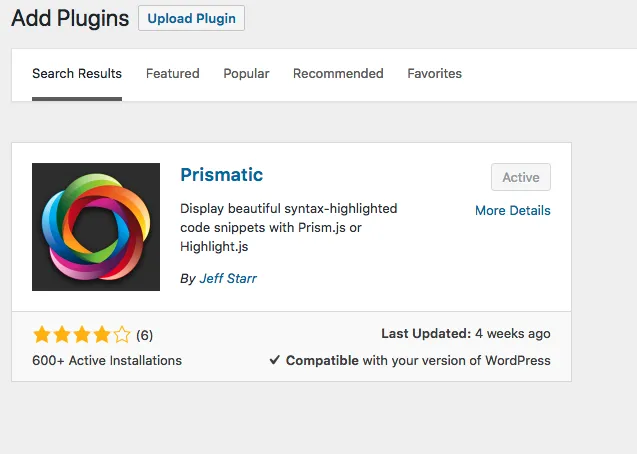
Installing plugins in WordPress is straightforward. Simply go to your WordPress admin dashboard, navigate to the “Plugins” section, click “Add New,” and search for “Prismatic.” (This is the one I used; you might explore others, but their implementation might differ.) Download and activate it.
This was the part that confused me most at first. In many cases the plugin is installed correctly, but the code still does not highlight because the block markup is incomplete. When you need to insert code in a post, use a Custom HTML block and write it like this:
<pre><code class="language-python">
print("hello world")
</code></pre>
2. Adding Your Code
You can change python to any language name you need, such as bash, javascript, or php. As long as the class name matches the language, Prism can usually highlight it correctly.
Here is a more complete example. If I want to highlight a bash command such as yum update -y, I would first:
- Add a block, and choose Custom HTML.
- Then, write the code as shown below:
After clicking “Publish,” you should see the highlighted code like this:
yum update -y
Common Issues
- The plugin is installed but nothing is highlighted: make sure you used a Custom HTML block, not a normal paragraph block.
- The code block appears but has no language styling: check whether the class name such as
language-pythonis correct. - The style looks different from another website: that is usually a Prism theme CSS difference, not an editor problem.
At this point you already have usable code highlighting inside WordPress. It may not look exactly like CSDN, but that is mostly a CSS-theme difference rather than a functional one. The main point is that syntax highlighting is driven by Prism markup, not by the editor type.
- 原文作者:春江暮客
- 原文链接:https://www.bobobk.com/en/115.html
- 版权声明:本作品采用 知识共享署名-非商业性使用-禁止演绎 4.0 国际许可协议 进行许可,非商业转载请注明出处(作者,原文链接),商业转载请联系作者获得授权。