Use Cloudflare Workers to Free Accelerate WordPress Blog
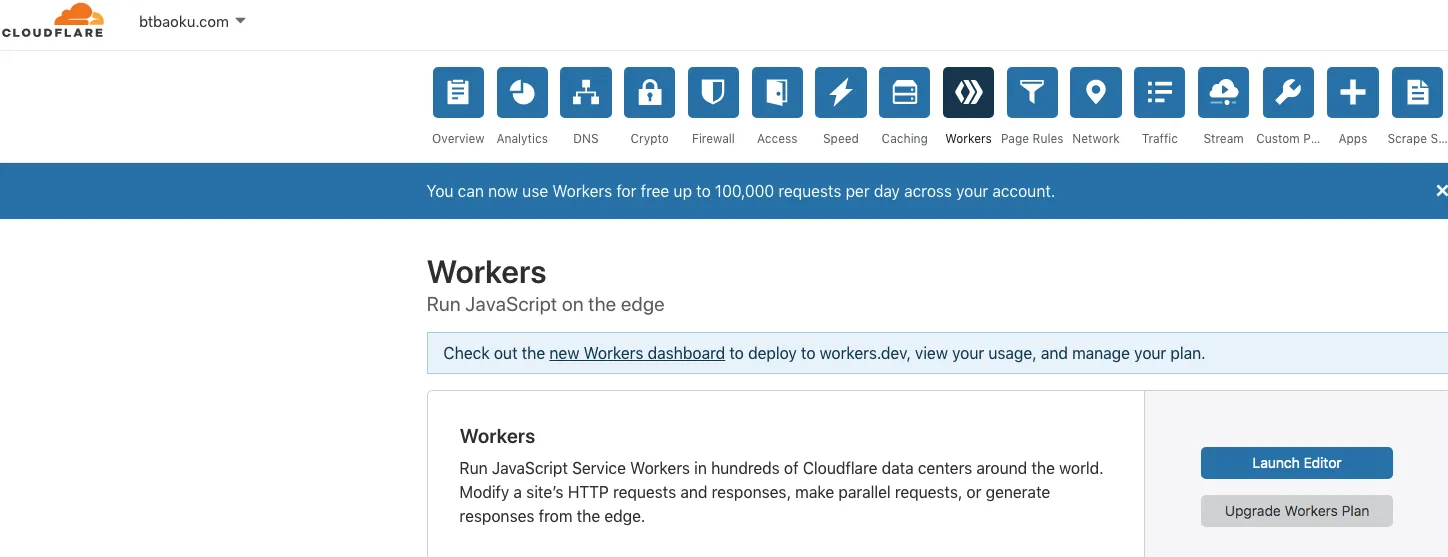
To improve user experience, websites always spare no effort to speed up loading times. To achieve this, Google launched the AMP project, and Baidu launched the MIP project. However, to get this effect, you need to deploy an additional set of website code, which is too cumbersome and increases development costs. But for users of Cloudflare CDN, there is a very convenient and quick choice — Cloudflare Workers. It completely preserves the original website effect without developing new code.
I have to say, Cloudflare is the best CDN provider in the world. Recently, they launched Cloudflare Workers with a free quota of up to 100,000 requests, allowing all static and non-login-required pages to run directly on the CDN, achieving a serverless state. Pages can load instantly. For a small blog like mine, there is no longer any need to worry about server issues.
So now the practical question is: how to enable Cloudflare Workers to accelerate my WordPress blog? Here is a step-by-step guide on how to enable Cloudflare Workers to speed up your entire WordPress site. It can be done in 20 minutes.
Steps to implement:
1. Install Cloudflare Page Cache WordPress plugin
Log in to your WordPress admin dashboard, add a new plugin, search for “Cloudflare Page Cache”, then install and activate it. If you know how to install WordPress plugins, this step is straightforward.
2. Open your site in the Cloudflare dashboard and go to Workers
Log in to Cloudflare and open your site. In newer dashboards, this area may be labeled Workers or Workers & Pages. Open the script editor from there.
3. Click ‘Add Script’ to add a new script
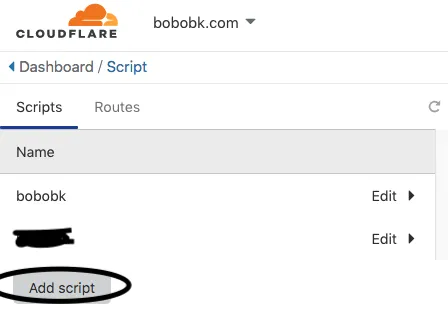
Name it bobobk.
4. Edit the bobobk script
Delete the default content. Get the required script from the following GitHub link and paste it here, then save it:
https://raw.githubusercontent.com/cloudflare/worker-examples/master/examples/edge-cache-html/edge-cache-html.js
You need to adjust three parts for your own Cloudflare setup:
email: ""— your Cloudflare account email, available at https://dash.cloudflare.com/profilekey: ""— if the example script still expects an API key, do not hard-code your global API key into the Worker and leave it there; use Cloudflare secrets or environment bindings insteadzone: ""— your site’s uniqueZone ID, available in the Cloudflare dashboard for that zone
The main operational point here is simple: do not store sensitive credentials directly in Worker source code just because the sample script does it. Even on a personal site, secrets should stay in Cloudflare-managed secret storage or environment bindings.
Here is what it looks like:

5. Add a ‘Route’
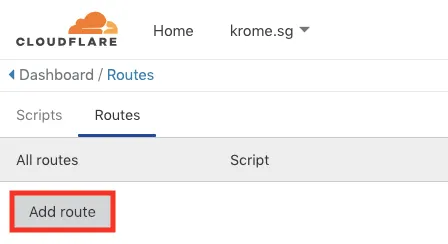
6. Create the route
Add the previously created bobobk worker to cover the entire WordPress site.
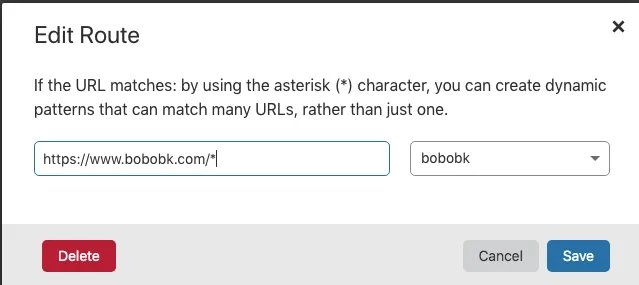
At this point, the basic Cloudflare Worker setup for a WordPress site is done. Before treating it as production-ready, double-check your cache rules, make sure authenticated pages are excluded from caching, and keep credentials out of the script itself.
- 原文作者:春江暮客
- 原文链接:https://www.bobobk.com/en/434.html
- 版权声明:本作品采用 知识共享署名-非商业性使用-禁止演绎 4.0 国际许可协议 进行许可,非商业转载请注明出处(作者,原文链接),商业转载请联系作者获得授权。