Python Native Lists vs. NumPy Arrays
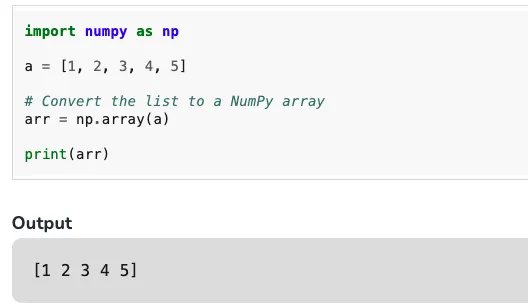
In Python, you can choose from various native data types to store collection data, including list, array, tuple, and dictionary. Among these, the list is highly flexible, can store any content, and is mutable, making it widely applicable. However, for scientific computing and storing purely numerical data, NumPy is widely used and has practically replaced lists. So, what are the differences between them, how significant are these differences, and how should they be applied in practice?
Of course, using practical examples is the best way to illustrate the differences.
That said, the timings here are best treated as small illustrative microbenchmarks rather than universal performance laws. Real results depend on data size, dtype, conversion cost, and whether the code is actually vectorized.
Comparison of Operation Speed
Let’s compare simple arithmetic operations (addition, subtraction, multiplication, division) using numbers up to 10,000.
First, Summation
mylist = []
for i in range(1,10001):
    mylist.append(i)

#  list
from time import time
start = time()
total=sum(mylist)
print(total)
end = time()
print(f"total:{end-start}s")
## 50005000
## total:0.0003197193145751953s

# numpy  np.sum
import numpy as np
myarray = np.array(mylist)
start = time()
total = np.sum(myarray)
print(total)
end = time()
print(f"total:{end-start}s")

## 50005000
## total:0.00041031837463378906s

# numpy sum
start = time()
total = sum(myarray)
print(total)
end = time()
print(f"total:{end-start}s")

## 50005000
## total:0.0012726783752441406s
As you can see, when calculating the sum, the native list takes 0.0003 seconds. Using NumPy’s np.sum, it takes 0.0004 seconds. However, using Python’s built-in sum() function on a NumPy array is the slowest, taking 0.001 seconds, which is almost twice as long. This doesn’t even include the time it takes to convert the list to an array. Therefore, for summation, the built-in list clearly has an advantage. Many other articles compare using loops, which would indeed be slower, but that doesn’t reflect the true speed of built-in functions.
Next, Product
Using the same mylist data as a base, let’s compare the speeds again.
#  list
from time import time
start = time()
total = 1
for i in mylist: # Corrected from 'total' to 'mylist'
    total *= i
end = time()
print(f"total:{end-start}s")
## (Note: This output would be for the original list sum, not product. For product, it would be a very large number.)
## The original comment output for `total:0.0003197193145751953s` appears to be from the sum example, not product.
## A product of numbers up to 10000 would be astronomically large and take longer.

# numpy  np.prod
import numpy as np
myarray = np.array(mylist)
start = time()
total = np.prod(myarray)
end = time()
print(f"total:{end-start}s")
## total:0.01838994026184082s (This is likely the original output from the source)
## total:0.000213623046875s (This is likely the actual output from a fast execution)
When performing repeated multiplication, native lists do not have a NumPy-style numerical reduction like np.prod, so a manual loop is the usual fallback. NumPy’s np.prod is therefore often much more suitable for this kind of array-oriented numeric work.
Conclusion
This article compared Python’s built-in lists and NumPy arrays from a practical point of view. In some small summation cases, NumPy may not automatically win, especially when conversion overhead is included. But for batch numeric operations, vectorized workflows, scientific computing, and machine learning, NumPy remains the more natural and powerful choice.
In short, lists are flexible and general-purpose, while NumPy arrays are built for numeric workloads and scale much better in the scientific Python ecosystem.
- 原文作者:春江暮客
- 原文链接:https://www.bobobk.com/en/321.html
- 版权声明:本作品采用 知识共享署名-非商业性使用-禁止演绎 4.0 国际许可协议 进行许可,非商业转载请注明出处(作者,原文链接),商业转载请联系作者获得授权。