Mounting an External Hard Drive in Linux
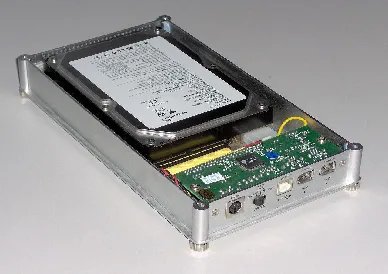
After a machine restart, the external hard drive wasn’t recognized and needed to be remounted. However, after using fdisk -l, the external hard drive was nowhere to be found, making it impossible to mount.
In practice, this kind of problem usually has two steps: first confirm whether Linux can still see the disk device, then decide whether you can mount it directly or need to rescan the bus so the device appears again.
How to Mount a Disk
First, use fdisk -l to check the current hard drive status.
    ➜  ~ fdisk -l
    WARNING: fdisk GPT support is currently new, and therefore in an experimental phase. Use at your own discretion.

    Disk /dev/sdb: 320.1 GB, 320072933376 bytes, 625142448 sectors
    Units = sectors of 1 * 512 = 512 bytes
    Sector size (logical/physical): 512 bytes / 512 bytes
    I/O size (minimum/optimal): 512 bytes / 512 bytes
    Disk label type: gpt
    Disk identifier: AF1B577B-830C-4026-AC5F-37870D362B3C

    #         Start         End    Size  Type            Name
    1          2048      411647    200M  EFI System      EFI System Partition
    2        411648     2508799      1G  Microsoft basic
    3       2508800   625141759  296.9G  Linux LVM

    Disk /dev/mapper/centos-root: 53.7 GB, 53687091200 bytes, 104857600 sectors
    Units = sectors of 1 * 512 = 512 bytes
    Sector size (logical/physical): 512 bytes / 512 bytes
    I/O size (minimum/optimal): 512 bytes / 512 bytes

    Disk /dev/mapper/centos-swap: 3623 MB, 3623878656 bytes, 7077888 sectors
    Units = sectors of 1 * 512 = 512 bytes
    Sector size (logical/physical): 512 bytes / 512 bytes
    I/O size (minimum/optimal): 512 bytes / 512 bytes

    Disk /dev/mapper/centos-home: 261.5 GB, 261468717056 bytes, 510681088 sectors
    Units = sectors of 1 * 512 = 512 bytes
    Sector size (logical/physical): 512 bytes / 512 bytes
    I/O size (minimum/optimal): 512 bytes / 512 bytes

    Disk /dev/sda: 1000.2 GB, 1000170586112 bytes, 1953458176 sectors
    Units = sectors of 1 * 512 = 512 bytes
    Sector size (logical/physical): 512 bytes / 512 bytes
    I/O size (minimum/optimal): 512 bytes / 512 bytes
    Disk label type: dos
    Disk identifier: 0x16f2a91f

          Device Boot      Start        End    Blocks  Id  System
    /dev/sda1             1 4294967295 2147483647+ ee  GPT
Here, my external hard drive is 1TB, so I can identify it as /dev/sda1. Then I can mount it with mount: